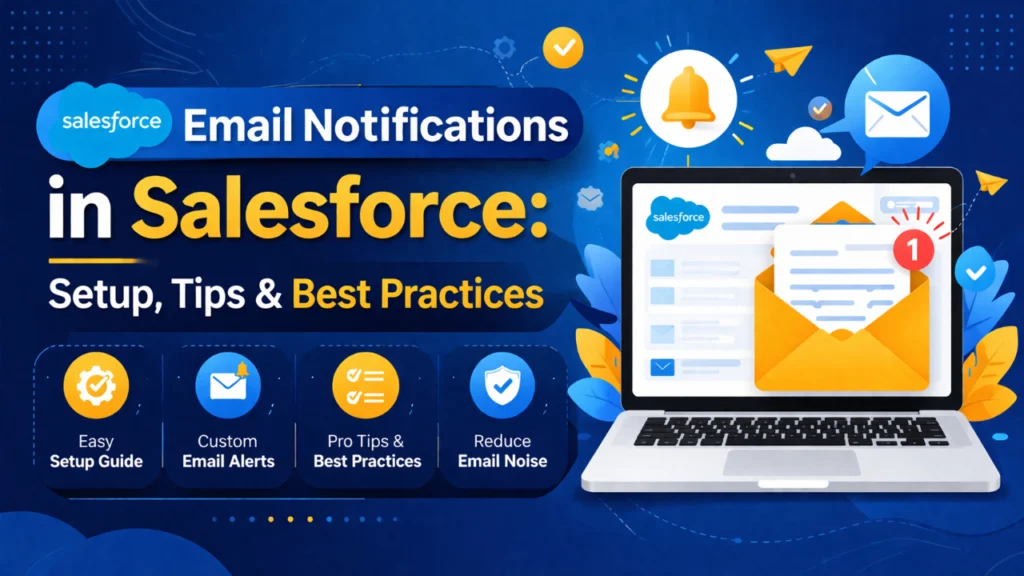
Email notifications play a vital role in keeping teams informed, improving communication, and driving timely actions within Salesforce. Whether it’s notifying sales reps about new leads, alerting support teams about case updates, or sending automated emails to customers, Salesforce offers powerful tools to streamline communication workflows.
In this blog, we’ll explore how email notifications work in Salesforce, how to set them up, and best practices for maximising their effectiveness.
Table of Contents
What Are Email Notifications in Salesforce?
Types of Email Notifications in Salesforce1. Workflow Email Alerts
2. Process Builder Email Alerts
3. Salesforce Flow Email Notifications
4. Approval Process Notifications
How to Set Up Email Notifications in SalesforceStep 1: Create an Email Template
Step 3: Configure Automation (Flow)
Key Features of Salesforce Email Notifications1. Personalization with Merge Fields
5. Integration with Other Automation Tools
Benefits of Using Email NotificationsImproved Productivity
Best Practices for Email Notifications in Salesforce1. Avoid Notification Overload
2. Use Clear and Concise Subject Lines
Common Challenges and How to Overcome Them1. Emails Not Triggering
Advanced Tips for OptimizationUse Dynamic Content
Integrate with External Systems
What Are Email Notifications in Salesforce?
Email notifications in Salesforce are automated or manual email alerts triggered by specific events or conditions within the platform. These notifications ensure that users, stakeholders, or customers receive real-time updates without needing to constantly monitor the system.
Common use cases include:
New lead assignment alerts
Opportunity stage updates
Case status changes
Approval request notifications
Workflow-based alerts
Organisations can enhance response time, increase productivity, and guarantee that no critical update goes unnoticed by utilising email notifications.
Types of Email Notifications in Salesforce
Salesforce offers multiple ways to configure email notifications depending on business needs:
1. Workflow Email Alerts
Workflow rules allow you to trigger email alerts based on predefined criteria. For example, when a lead’s status changes to “qualified”, an email can be sent to the sales manager.
2. Process Builder Email Alerts
Although gradually being replaced by Flow, Process Builder enables automation with more complex logic, including sending emails based on multiple conditions.
3. Salesforce Flow Email Notifications
Salesforce Flow is the most powerful and flexible automation tool. It allows you to create advanced workflows and send dynamic email notifications based on user actions or system events.
4. Approval Process Notifications
When records go through an approval process, Salesforce automatically sends email alerts to approvers and submitters.
5. Case Auto-Response Rules
Used mainly in Service Cloud, these rules automatically send acknowledgement emails to customers when a case is created.
How to Set Up Email Notifications in Salesforce
Setting up email notifications involves a few structured steps. Let’s walk through a simple setup using Flow and Email Alerts.
Step 1: Create an Email Template
Email templates define the content of your notification.
Go to Setup → Email Templates
Choose template type (Text, HTML, Custom, Visualforce)
Add subject, body, and merge fields
Save and activate the template
Step 2: Create an Email Alert
Navigate to Setup → Email Alerts
Click “New Email Alert”
Select the object (e.g., lead, case, opportunity).
Choose the email template
Add recipients (users, roles, email fields)
Step 3: Configure Automation (Flow)
Go to Setup → Flows
Create a Record-Triggered Flow
Define entry conditions (e.g., Case Status = escalated).
Add an action → “Send Email Alert”
Select the created email alert
Save and activate the flow
Step 4: Test the Notification
Create or update a record matching the criteria
Verify that the email is triggered correctly
Check logs if any issue occurs
Key Features of Salesforce Email Notifications
1. Personalization with Merge Fields
You can dynamically insert data such as customer name, case ID, or opportunity value to make emails more relevant.
2. Multi-Recipient Support
Send notifications to users, roles, public groups, or external email addresses.
3. Real-Time Automation
Notifications are triggered instantly when conditions are met, ensuring timely communication.
4. Template Reusability
Create once and reuse templates across multiple workflows, saving time and maintaining consistency.
5. Integration with Other Automation Tools
Email alerts can be combined with flows, approval processes, and assignment rules for seamless automation.
Benefits of Using Email Notifications
Improved Productivity
Teams receive instant updates, reducing manual follow-ups and improving efficiency.
Better Customer Experience
Automated responses and timely updates enhance customer satisfaction and trust.
Enhanced Collaboration
Notifications keep all stakeholders aligned, especially in complex sales or support processes.
Reduced Errors
Automation eliminates the risk of missed communications or delayed responses.
Best Practices for Email Notifications in Salesforce
To make the most of email notifications, follow these proven best practices:
1. Avoid Notification Overload
Sending too many emails can overwhelm users and reduce effectiveness. Only trigger notifications for critical events.
2. Use Clear and Concise Subject Lines
Ensure recipients understand the purpose of the email at a glance.
3. Personalize Content
Use merge fields to make emails relevant and engaging for recipients.
4. Segment Your Audience
Send targeted notifications based on roles, regions, or responsibilities instead of generic emails.
5. Test Before Deployment
Always test workflows and templates to ensure accuracy and proper delivery.
6. Monitor and Optimize
Track email performance and adjust rules or templates to improve engagement.
7. Use Naming Conventions
Maintain consistent naming for email alerts and templates to simplify management.
8. Ensure Compliance
Follow email regulations and include necessary disclaimers or opt-out options when communicating with external users.
Common Challenges and How to Overcome Them
1. Emails Not Triggering
Check automation criteria
Ensure flow/workflow is active
Verify email deliverability settings
2. Incorrect Recipients
Double-check recipient fields in email alerts
Validate user roles and permissions
3. Duplicate Notifications
Avoid overlapping automation rules
Consolidate workflows where possible
4. Poor Email Formatting
Use responsive templates
Test across devices and email clients
Advanced Tips for Optimization
Use Dynamic Content
Leverage conditional logic in templates to display different content based on record values.
Combine with Task Creation
Trigger both email notifications and task assignments for better accountability.
Leverage Scheduled Flows
Send reminder emails at specific intervals for pending actions.
Integrate with External Systems
Connect Salesforce with marketing or communication tools for advanced email capabilities.
The Future of Email Notifications in Salesforce
With continuous enhancements in Salesforce automation tools, email notifications are becoming smarter and more adaptive. The shift towards flow-based automation allows businesses to build highly customised and scalable notification systems.
AI-driven insights and predictive automation are also expected to play a bigger role, helping organizations send the right message at the right time.
Conclusion
Email notifications in Salesforce are a powerful way to automate communication, streamline processes, and improve overall efficiency. By setting up the right triggers, using well-designed templates, and following best practices, businesses can ensure that their teams and customers stay informed at every stage.
Whether you are managing sales pipelines, customer support, or internal workflows, mastering email notifications can significantly enhance your Salesforce experience and drive better results.
Founder and CEO of iTechCloud Solution, a Salesforce consulting and product partner since 2017. He sets engagement strategy and stays the commercial owner of every account, working with clients across Salesforce, AI and data from the first call through to go-live.
Connect on LinkedIn