
AI agents built natively inside Salesforce.
Nexus AI answers your website visitors, works alongside your sales team inside Salesforce, and gives your admins full control of the models, the agents and the cost. Your agents, your models, your data, inside Salesforce.
- CustomersVoice & chat concierge on your website
- Sales teamsA CRM copilot inside Salesforce
- AdminsProviders, agents, usage & cost
Four minutes, end to end.
A real estate example: a visitor asks on the website, a lead lands in Salesforce with the site visit booked, a sales rep works that lead with the copilot, and an admin watches the cost per lead.
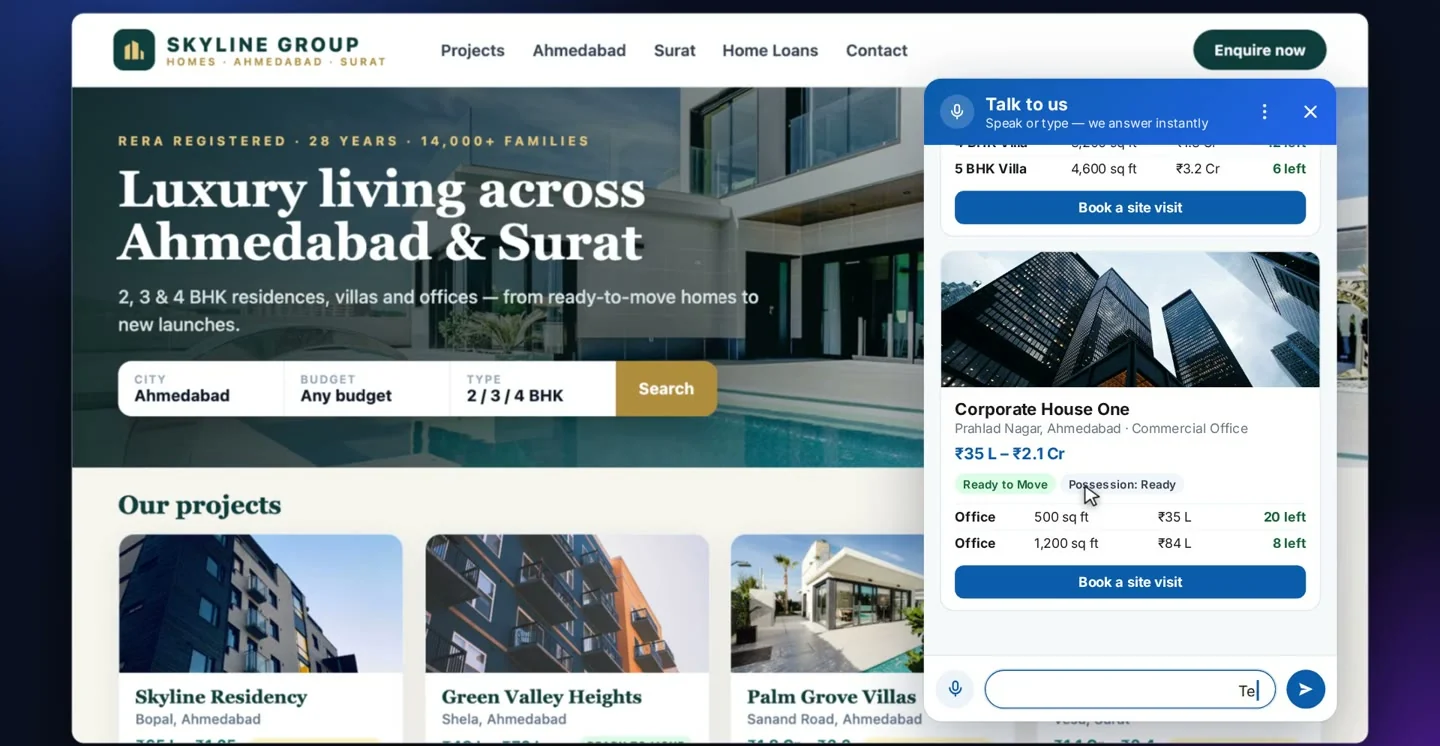
A concierge on your website that actually knows your catalogue.
A visitor opens the chat and speaks or types. Nexus AI reads your live Salesforce records and answers in plain language, then captures the lead without a form.
- Voice or textVisitors tap the mic and ask out loud, or type. Both get the same answer.
- Answers from live recordsCards built from your Salesforce catalogue: photos, prices, availability and dates, never a stale PDF.
- Follow-ups keep the threadAsk about one item and the next question stays on it, down to a specific unit or variant.
- It will not guessAsked something outside the catalogue, it says so and offers a call back instead of inventing an answer.
- Books the appointmentIt asks only for what is missing, confirms a time and returns a reference number.
- A real lead, instantlyA new lead in Salesforce, sourced from the website, with the visit on its timeline and the whole chat saved.
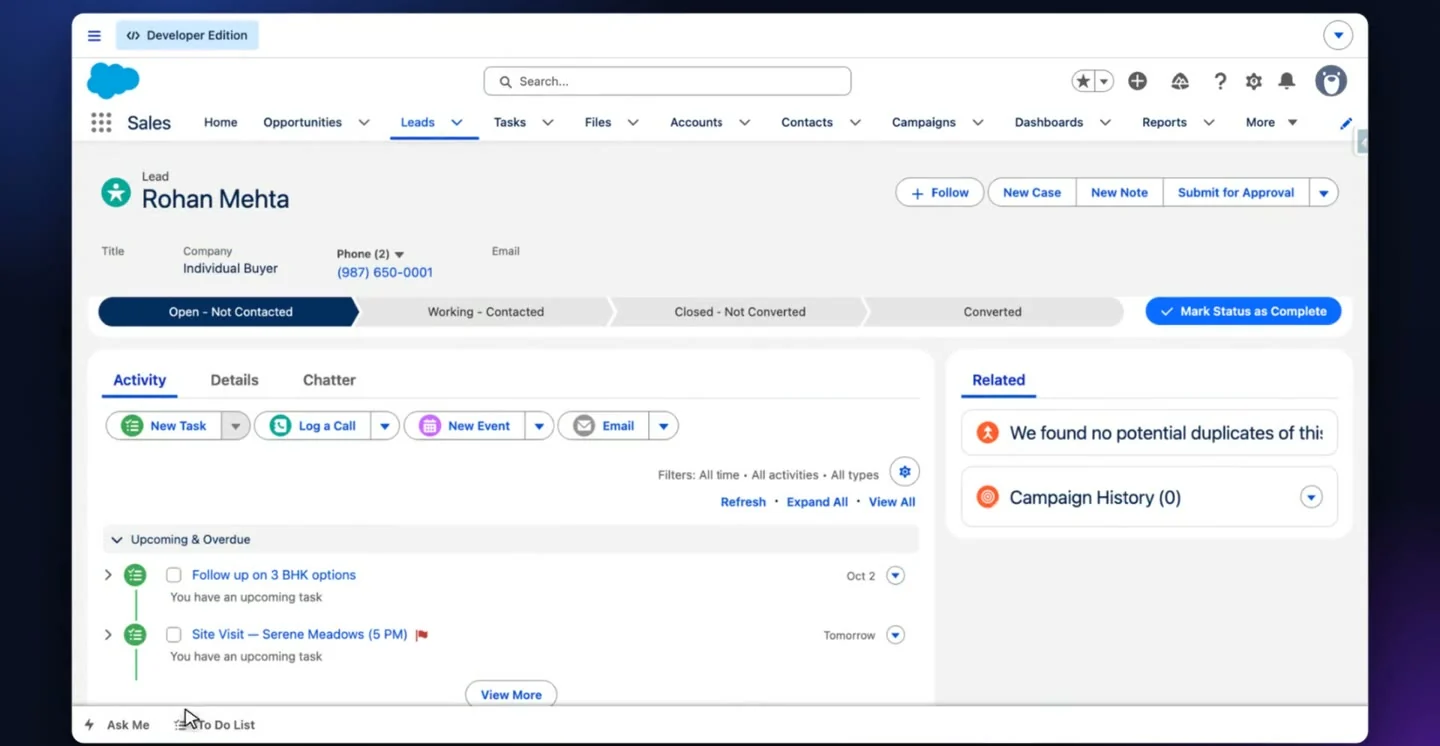
A copilot in the Salesforce utility bar, on every record.
Open it anywhere in Salesforce and ask in plain English, or by voice. It answers from your own data, and can log the call, set the follow-up and draft the email.
- "What should I focus on today?"It checks tasks, leads and sources, answers with a clear plan and a live chart, and suggests what to ask next.
- Ask by voiceTap the mic: "how many site visits are scheduled this week?" and get the number straight away.
- Aware of the recordOpen a lead and the suggestions change to that lead. Every record keeps its own conversation.
- Saved questions on "/"Type a slash to search every saved prompt, like a call script built from that person's real record.
- Actions in one lineLog the call, set the follow-up, book the visit or draft the email. Nothing is sent until someone chooses to send it.
- Works the way reps doPop it out into a floating window, resize it, switch agent, and carry on working in Salesforce beside it.
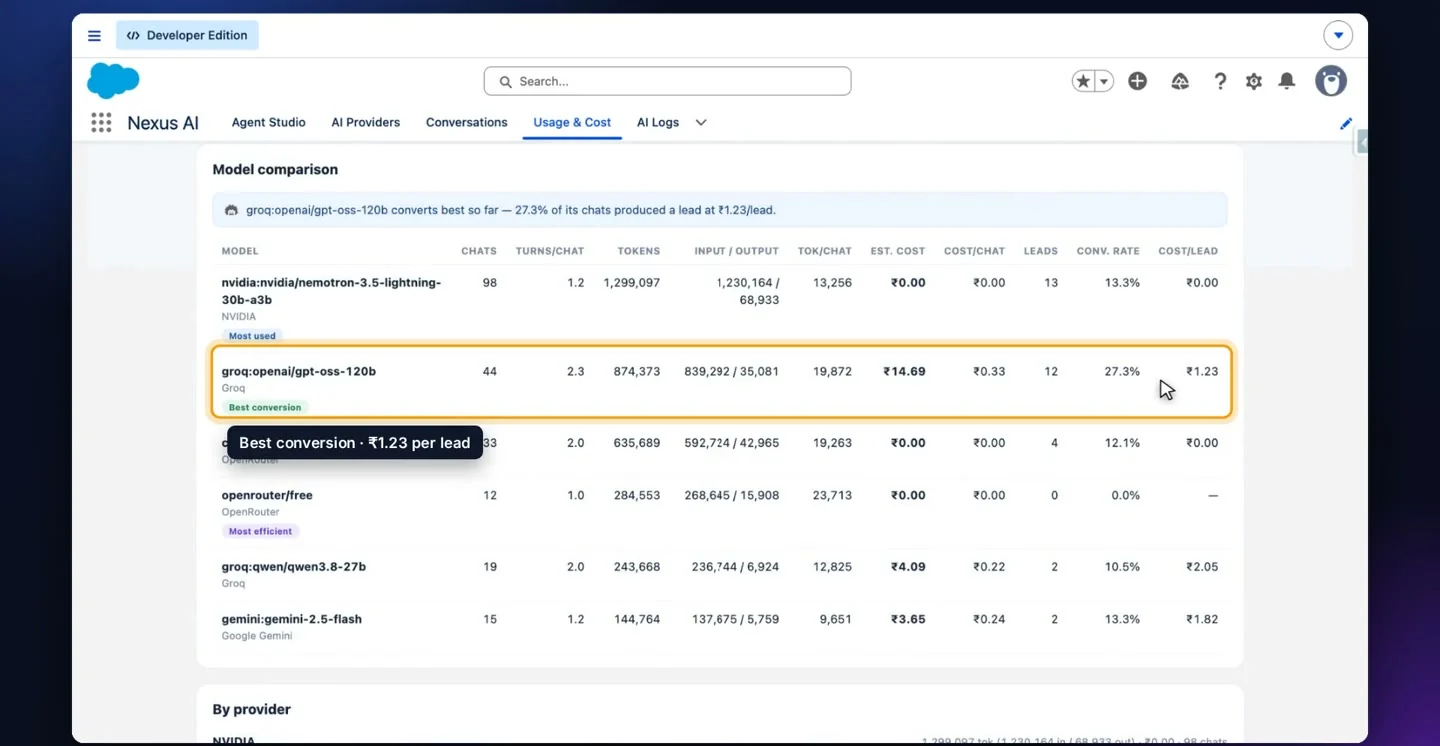
Your models, your keys, and what every answer costs.
Connect the providers you already pay for, build agents in plain English, replay every conversation, and watch spend against leads won.
- Bring your own modelsOpenAI, Anthropic, Gemini, Groq, NVIDIA and more, on your own API keys and your own accounts.
- Automatic failoverPrioritised keys are tried first and fallback keys take over on their own, so an outage is not an incident.
- Agent StudioCreate an agent from a template, or describe in plain English what it should do and for whom.
- Every conversation, replayableWebsite and internal chats saved word for word, so you can see exactly what customers asked.
- Cost per lead, not just tokensTokens, spend, conversations and leads captured in one view, with cost per lead on the same screen.
- Compare models honestlyPaid or free, every model lined up on conversion rate and cost per lead, with spend broken down by provider.
Grounded in your data. Native to your org.
It stays inside Salesforce
Agents, conversations, logs and costs are Salesforce records in your own org. There is no separate system holding your customer data.
Answers you can defend
Every answer is grounded in your records. When the data is not there, it says so and hands over to a person.
No model lock-in
Your keys, your providers, swapped whenever you like. Compare models on real conversion and cost before you commit.
Built by a Salesforce partner
Designed, built and supported by iTechCloud Solution, who implement Salesforce for a living.
Nexus AI, answered.
Is Nexus AI an AppExchange app or a managed package?
Nexus AI is built natively on Salesforce and installed into your org by our team, configured to your objects, fields and sharing model during rollout.
Which AI models does it use?
Whichever you connect: OpenAI, Anthropic, Gemini, Groq, NVIDIA and others, using your own API keys. You can prioritise models and set fallbacks, and swap them at any time.
Where does our data go?
Records, conversations and logs stay in your Salesforce org. Prompts go to the model provider you choose, under your own account and their terms.
What stops it inventing answers?
Agents answer from your Salesforce records. Asked for something not in the data, the agent says it does not have it and offers a human follow-up instead.
Does it work for industries other than real estate?
Yes. The walkthrough uses real estate because the catalogue and site-visit flow show it clearly, but the agents read whatever objects your business runs on.
How do we know what it costs?
The Usage & Cost dashboard shows tokens and spend per provider and per model, next to conversations and leads captured, so you can see cost per lead as you go.
Book a Nexus AI demo.
We will show the website concierge and the Salesforce copilot running against a setup close to yours, and talk through models, cost and rollout.