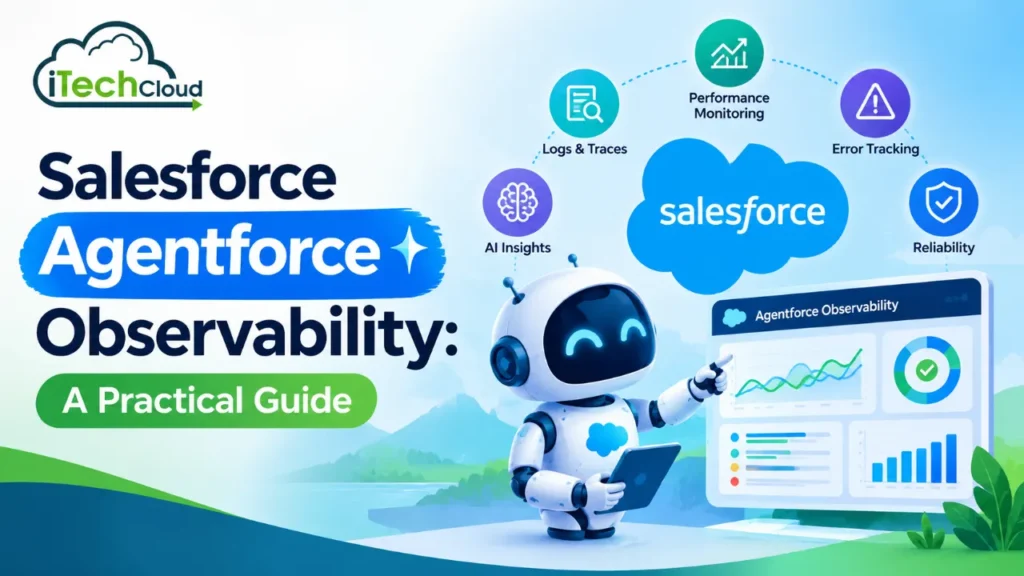
Agentforce Observability gives organizations the tools to measure, analyze, investigate, and optimize their AI agents. It helps administrators and developers understand agent interactions, identify performance issues, discover knowledge gaps, and improve the overall customer experience. We will explore what Salesforce Agentforce Observability is, its major capabilities, how it works, implementation steps, and best practices for managing AI agents.
What Is Salesforce Agentforce Observability?
Salesforce Agentforce Observability is a set of monitoring, analytics, and optimization capabilities designed to help organizations understand how their Agentforce agents perform. It provides visibility into agent conversations, interactions, execution activities, response quality, and operational performance. Instead of checking only whether an AI agent is active, teams can investigate whether it understands customer requests and successfully completes assigned tasks.
For example, imagine a customer asks an Agentforce service agent about a refund. The agent responds, but the information is incorrect because it retrieves an outdated record. Although the agent is technically working, the customer experience is poor. With observability, administrators can investigate the interaction, understand where the problem occurred, and improve the agent’s configuration or connected data sources.
Salesforce’s observability capabilities focus primarily on two areas: Agent Analytics and Agent Optimization. These work alongside session tracing and other monitoring infrastructure to provide a clearer picture of agent behavior.
Why Is Agentforce Observability Important?
AI agents can handle multiple customer requests, but their performance depends on instructions, knowledge sources, data quality, actions, and integrations.
Without proper monitoring, organizations may face several problems:
Incorrect responses: Agents may misunderstand questions or provide information that is not supported by available sources.
Failed actions: An agent might select the correct action but fail while executing a Salesforce Flow, Apex operation, or integration.
Slow interactions: Complex requests and external service delays can increase response time.
High escalation rates: Customers may repeatedly need human assistance instead of receiving automated support.
Knowledge gaps: Agents may struggle to answer questions when relevant business information is missing or outdated.
Limited visibility: Administrators may find it difficult to identify why an agent failed or which part of an interaction caused the problem.
Agentforce Observability helps businesses identify these issues using actual interaction data rather than relying entirely on assumptions.
Key Features of Salesforce Agentforce Observability
1. Agent Analytics
Agent Analytics helps organizations understand how their deployed AI agents perform across customer and employee interactions.
It provides dashboards and performance insights that help administrators evaluate agent usage, effectiveness, feedback, and conversation trends.
Important metrics include:
Total agent sessions and interactions.
Customer engagement and usage patterns.
Escalation and deflection rates.
Abandoned sessions.
Task resolution and success rates.
Customer feedback trends.
Agent performance across different topics and intents.
For example, a customer service team can use Agent Analytics to identify which topics generate the highest number of escalations. If billing-related questions frequently require human support, the organization can investigate those conversations and improve the agent’s instructions or knowledge sources.
These insights help businesses understand whether their AI agents are delivering measurable value.
2. Agent Optimization
Agent Optimization helps teams investigate unresolved interactions, understand agent behavior, and identify opportunities for improvement.
Instead of reviewing only overall performance numbers, administrators can explore specific conversations and understand where an agent struggled.
Its capabilities include:
Investigating unresolved customer interactions.
Identifying knowledge gaps.
Reviewing agent misinterpretations.
Examining conversation quality.
Identifying ineffective topics and actions.
Finding configuration problems that affect responses.
For instance, if an agent repeatedly fails to answer questions about subscription upgrades, administrators can investigate whether the issue comes from missing knowledge articles, unclear instructions, or an incorrectly configured action.
This makes it easier to improve agents based on real customer interactions.
3. Agentforce Session Tracing
Agentforce Session Tracing is an important technical foundation of observability. It captures detailed information about agent interactions and organizes the data under a session ID.
Teams can examine information such as:
User messages and agent responses.
Individual conversation turns.
Reasoning engine execution events.
Selected actions and execution steps.
Prompt and gateway inputs and outputs.
Error messages and final responses.
Session tracing uses a structured data model in Data 360, known as the Session Tracing Data Model (STDM).
For example, suppose an agent correctly understands that a customer wants to update an account address but fails to save the new information. Developers can investigate the session trace to identify whether the failure occurred during action selection, Flow execution, permissions, or record updates.
This detailed visibility makes troubleshooting more effective.
4. Agent Health Monitoring
Agent Health Monitoring helps organizations track operational performance and identify problems that can affect agent reliability.
Teams can monitor important indicators such as:
Error rate.
Agent interaction duration.
Session duration.
Performance trends.
Configured alert thresholds.
For example, if an external integration becomes slow, the agent may take longer to respond to customers. Health monitoring can help teams identify unusual latency patterns and investigate the underlying technical issue.
Administrators can configure alerts to receive notifications when monitored performance crosses defined thresholds.
5. Quality Scores and Trust Monitoring
An AI agent should not simply provide fast answers. Its responses should also be relevant, accurate, and aligned with business instructions.
Salesforce provides quality and trust metrics that help organizations evaluate agent responses.
Important quality measurements include:
Answer Faithfulness: Measures whether the generated answer is supported by the available source information.
Answer Relevance: Evaluates how closely the response addresses the customer’s question.
Context Relevance: Measures whether the retrieved information is appropriate for the request.
Instruction Adherence: Helps assess whether an agent follows its configured instructions.
Toxicity Score: Helps identify inappropriate or harmful generated content.
These measurements help teams identify response-quality problems and improve their knowledge retrieval, instructions, and agent configurations.
How Does Salesforce Agentforce Observability Work?
Agentforce Observability combines session data, platform telemetry, analytics, and optimization capabilities to provide visibility into AI agent performance.
The process generally follows four stages:
Step 1: Capture Agent Interactions
When a customer or employee interacts with an Agentforce agent, session tracing collects relevant conversation and execution information, including messages, actions, and errors.
Step 2: Analyze Performance Data
Agent Analytics uses available interaction data to evaluate agent effectiveness, usage, escalation patterns, and performance trends.
Step 3: Investigate Problems
When performance issues appear, administrators can use Agent Optimization and session tracing to examine individual interactions and identify the underlying cause.
Step 4: Improve Agent Configuration
Developers and administrators can update instructions, improve knowledge sources, modify actions, or fix integrations. They can then test the changes and monitor subsequent interactions to evaluate improvements.
This creates a continuous cycle of monitoring, investigation, and optimization.
How to Set Up Salesforce Agentforce Observability
Setting up Agentforce Observability requires the appropriate Salesforce environment, permissions, and supporting infrastructure. The exact requirements depend on the organization’s Salesforce edition, licenses, and selected capabilities.
Here is a practical implementation approach.
1. Check Your Salesforce Environment
Verify that Data 360 is enabled where required and confirm that your organization meets the relevant Salesforce edition, licensing, and data model requirements.
2. Enable Agentforce Session Tracing
Navigate to Salesforce Setup and locate Einstein Audit, Analytics, and Monitoring Setup. Enable Agentforce Session Tracing so the platform can collect and store detailed agent interaction data.
3. Configure Agent Platform Tracing
Enable Agent Platform Tracing when additional technical visibility is required. It captures telemetry across supported services, including the Atlas reasoning engine, Apex, Flows, Prompt Builder, and other platform components.
4. Set Up Agent Analytics
Configure Agent Analytics and ensure the appropriate installation and permissions are available. This allows authorized users to review dashboards and evaluate agent performance.
5. Enable Agent Optimization
Assign the required Agent Optimization and Data Cloud permissions to users who need to investigate sessions, unresolved interactions, and knowledge gaps.
6. Configure Health Monitoring
Enable Agent Health Monitoring where available and establish meaningful thresholds for important operational metrics.
7. Review and Improve Performance
Regularly analyze performance dashboards, session traces, quality measurements, and customer feedback. Use the findings to improve agent instructions, actions, and connected knowledge sources.
Always verify the latest licensing, permissions, and setup requirements in your Salesforce environment before implementation.
Practical Example: Monitoring a Salesforce Customer Service Agent
Consider a company using Agentforce to automate customer support requests related to orders, refunds, and account information.
After deploying its customer service agent, the company notices that many customers are being transferred to human representatives when asking about refund status.
The team uses Agentforce Observability to investigate the issue.
Identify the problem: Agent Analytics shows an increase in escalations for refund-related questions.
Review conversations: Agent Optimization helps identify unresolved interactions.
Investigate execution: Session Tracing reveals that the agent selected the correct action but encountered an error when retrieving refund information.
Find the root cause: Developers discover that the integration is returning incomplete refund-status data.
Fix the issue: The technical team corrects the integration and tests the updated workflow.
Monitor improvements: The team reviews new interactions to determine whether successful resolutions improve and unnecessary escalations decrease.
This example shows how observability helps businesses move beyond identifying symptoms and work toward resolving the actual causes of agent failures.
Best Practices for Implementing Agentforce Observability
Organizations should follow a consistent monitoring strategy to maintain reliable AI agent performance.
Define clear KPIs: Select metrics based on the agent’s purpose, such as task resolution, escalation rate, response quality, and interaction time.
Review agent sessions regularly: Investigate unresolved interactions and repeated errors instead of waiting for customer complaints.
Maintain accurate knowledge sources: Keep Salesforce Knowledge articles and connected business information updated.
Test configuration changes: Evaluate instructions, actions, and workflows before releasing changes into production.
Protect customer information: Apply appropriate access permissions, data governance, and masking policies when handling session data.
Avoid unnecessary alerts: Focus on performance thresholds that indicate meaningful technical or business problems.
Create an improvement process: Involve Salesforce administrators, developers, and business teams in reviewing findings and prioritizing fixes.
Final Thoughts
Salesforce Agentforce Observability is an important part of managing AI-powered business operations. As organizations deploy more AI agents across sales, customer service, and internal workflows, understanding their performance becomes essential.
With Agent Analytics, Agent Optimization, Session Tracing, and supporting health and quality monitoring capabilities, businesses can gain better visibility into agent interactions, investigate issues, and continuously improve performance.
Successful AI adoption is not just about building and deploying agents. It also requires measuring their effectiveness, maintaining reliable data, and ensuring they deliver useful business outcomes.
Need help improving your Salesforce AI implementation? Work with an experienced Salesforce consulting team to assess your Agentforce setup, improve agent performance, and build reliable AI-powered business workflows.
Founder and CEO of iTechCloud Solution, a Salesforce consulting and product partner since 2017. He sets engagement strategy and stays the commercial owner of every account, working with clients across Salesforce, AI and data from the first call through to go-live.
Connect on LinkedIn