
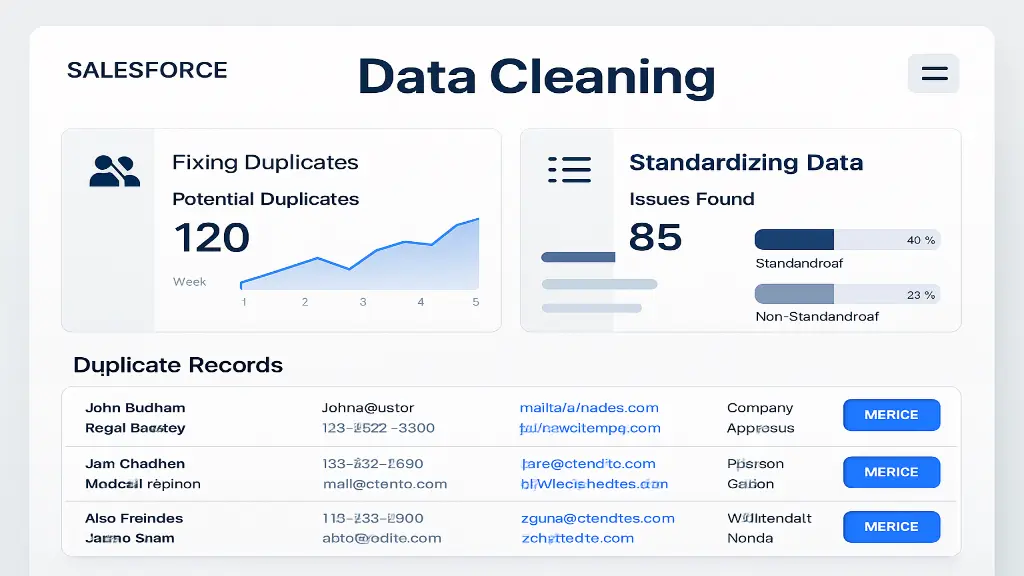
Introduction: Salesforce Data Cleaning Tools
In the modern business landscape, data is the backbone of customer engagement, sales forecasting, and decision-making. For Salesforce users, the value of their CRM depends entirely on the quality of the data stored within it. If that data is inaccurate, duplicated, or inconsistent, the entire customer journey is at risk. Research suggests that up to 30% of CRM data becomes outdated every year due to job changes, company restructuring, or incorrect entries.
This blog explores the best tools for cleaning Salesforce data available today, their features, benefits, and use cases. By the end, you’ll have a clear picture of which tools can help your organization fix duplicates and standardise data, leading to cleaner CRM processes and better decision-making.
Table of Contents
Introduction: Salesforce Data Cleaning ToolsWhy Data Cleaning Is Crucial in SalesforceKey Features to Look for in Salesforce Data Cleaning ToolsTop Salesforce Data Cleaning ToolsBest Practices for Salesforce Data CleaningChoosing the Right Tool for Your BusinessThe Future of Data Cleaning in SalesforceKey Takeaways
Why Data Cleaning Is Crucial in Salesforce
Before diving into the tools, let’s understand why Salesforce data cleaning is mission-critical.
1. Duplicate Records Hurt Productivity
When sales reps waste time contacting the same lead multiple times or updating multiple versions of the same account, it reduces efficiency. Duplicates also create confusion during reporting.
2. Inconsistent Data Reduces Trust
Different date formats, phone numbers without country codes, and misspelt company names make it difficult to analyze or automate processes.
3. Bad Data Impacts Customer Experience
Customers expect personalized experiences. If your Salesforce has incomplete or outdated information, your outreach efforts can appear irrelevant or unprofessional.
4. Compliance Risks
With GDPR, CCPA, and other data regulations, businesses must maintain accurate records. Poor data hygiene can lead to fines or reputational damage.
5. Better ROI on Salesforce Investment
Salesforce licenses are expensive. If your CRM is cluttered with bad data, you’re not getting full value from your investment.
When evaluating tools, businesses should consider:
Deduplication – the ability to detect and merge duplicate contacts, leads, and accounts.
Standardisation – Normalise data such as phone numbers, addresses, and company names.
Enrichment – Append missing details like industry, company size, or LinkedIn profiles.
Automation – Scheduled or real-time data cleaning without manual intervention.
Integration – Compatibility with Salesforce workflows, APIs, and third-party applications.
Compliance – Data privacy and security standards.
Now, let’s explore the best Salesforce data cleaning tools available to fix duplicates and standardise information.
1. Salesforce Duplicate Management (Native Tool)
Salesforce itself provides a built-in duplicate management feature.
Key Features:
Define matching rules (e.g., email or phone-based).
Set duplicate rules to block or alert users.
Real-time duplicate prevention during record creation.
Free and included with Salesforce licenses.
Pros:
No extra cost.
Easy to configure within Salesforce.
Great for basic duplicate prevention.
Cons:
Limited functionality for large-scale cleaning.
No enrichment or advanced standardisation.
Best For: Small to medium businesses that are just starting with data hygiene.
2. DemandTools by Validity
DemandTools is one of the most widely recognised solutions for cleaning data in Salesforce.
Key Features:
Bulk deduplication across Leads, Contacts, and Accounts.
Data standardisation with pre-built rules.
Mass update, delete, or merge capabilities.
Scheduling for ongoing data hygiene.
Pros:
Highly customisable.
Scales well for large datasets.
Strong reputation in the Salesforce ecosystem.
Cons:
Steeper learning curve.
Requires a separate licensing cost.
Best For: Enterprises handling millions of records that require regular cleanup.
3. Cloudingo
Cloudingo is purpose-built for Salesforce deduplication and data cleansing.
Key Features:
Intuitive drag-and-drop interface.
Merge duplicates based on customisable filters.
Automation for continuous cleaning.
API support for integrations.
Pros:
Very user-friendly.
Handles complex duplicate scenarios.
Offers both cloud-based and scheduled cleaning.
Cons:
Pricing can add up for smaller organizations.
Limited enrichment features.
Best For: Mid-sized companies that want robust duplicate management with simplicity.
4. Openprise Data Orchestration Platform
Openprise goes beyond cleaning. It orchestrates data workflows.
Key Features:
Deduplication and normalisation of Salesforce records.
Enrichment via third-party integrations.
Data segmentation for marketing automation.
Governance and compliance tools.
Pros:
All-in-one data orchestration, not just cleaning.
Strong enrichment and standardisation capabilities.
Great for marketing and sales alignment.
Cons:
More expensive compared to standalone deduplication tools.
It may be too advanced for small businesses.
Best For: Large enterprises focusing on marketing, sales, and RevOps alignment.
5. RingLead (Now part of ZoomInfo)
RingLead offers end-to-end data quality and enrichment solutions.
Key Features:
Real-time deduplication during lead capture.
Data normalisation for names, phone numbers, and addresses.
Enrichment from ZoomInfo’s massive database.
Automated workflows for lead routing.
Pros:
Seamless integration with Salesforce and marketing platforms.
Strong enrichment capabilities with ZoomInfo data.
Great for sales prospecting and account-based marketing.
Cons:
Pricing tied to ZoomInfo subscriptions.
It may be overkill if enrichment is not needed.
Best For: B2B companies focusing on prospect data accuracy and enrichment.
6. Informatica Data Quality
Informatica is a leader in enterprise data management.
Key Features:
AI-powered duplicate detection.
Advanced parsing, matching, and validation.
Address and email standardisation.
Integration with multiple data sources.
Pros:
Scalable for global enterprises.
Deep customisation and automation.
Strong compliance features.
Cons:
Expensive compared to other tools.
Complex setup and maintenance.
Best For: Global enterprises with complex, multi-source data.
7. Validity GridBuddy Connect
Another tool from Validity, GridBuddy Connect improves usability alongside cleaning.
Key Features:
Unified grid view of Salesforce data.
Bulk editing and mass updates.
Data validation to reduce errors.
Complements DemandTools.
Pros:
Enhances Salesforce usability.
Great for sales teams that do data entry.
Reduces future duplicates.
Cons:
Limited standalone cleaning power.
Best used alongside other tools.
Best For: Businesses needing better Salesforce usability plus data hygiene.
8. Experian Data Quality for Salesforce
Experian brings its global data expertise to Salesforce.
Key Features:
Real-time address, phone, and email validation.
Deduplication and cleansing workflows.
Integration with Salesforce forms.
International data coverage.
Pros:
Trusted brand for data accuracy.
Strong global data validation.
Reduces bounce rates and bad leads.
Cons:
Focused more on validation than enrichment.
It can be expensive for small firms.
Best For: Organizations with international customer bases needing validation.
9. D&B Optimizer for Salesforce (Dun & Bradstreet)
Powered by D&B’s business database, Optimiser is tailored for B2B enrichment.
Key Features:
Company and contact deduplication.
Automated data enrichment with D&B data.
Hierarchy mapping of parent-child accounts.
Integration with lead scoring models.
Pros:
Reliable global business data.
Great for account-based marketing.
Keeps account hierarchies accurate.
Cons:
Focused only on B2B data.
Licensing costs can be high.
Best For: B2B enterprises focused on account-level accuracy and hierarchy mapping.
10. Other Notable Mentions
Trifacta Wrangler – Great for data preparation before Salesforce import.
Talend Data Fabric is a strong open-source option for integration and cleaning.
PeopleImport – Useful for importing lists without duplicates.
AddressTools by ProvenWorks – Specialised in postal address standardisation.
Using the right tool is half the battle; following best practices ensures long-term success.
Define Data Standards Early – Please decide on formats (e.g., phone numbers and addresses) and enforce them.
Schedule Regular Cleanups – It’s important to automate weekly or monthly cleaning to prevent the CRM from becoming cluttered.
Train Users – Educate sales and marketing teams on entering clean data.
Leverage Validation Rules – Use Salesforce validation to block incomplete or incorrect entries.
Integrate with Marketing Tools – Sync clean data across systems such as HubSpot, Marketo, or Pardot.
Monitor Data Health – Use dashboards to track duplicates, missing fields, and inconsistencies.
Plan for Scalability – As data grows, so should your data hygiene strategy.
The right tool depends on your
Company Size – Small businesses may benefit from Salesforce native tools, while enterprises need Informatica or Openprise.
Budget – Tools like Cloudingo and DemandTools are more cost-effective than D&B Optimiser or Informatica.
Data Needs – If enrichment is important, RingLead or D&B Optimiser is ideal. If validation matters, Experian is a strong choice.
Frequency – For one-time cleanup, DemandTools works; for ongoing hygiene, Cloudingo or Openprise is better.
As AI and automation evolve, the future of Salesforce data hygiene will include:
AI-driven Duplicate Detection: Smarter algorithms that detect duplicates, even with fuzzy matches.
Real-Time Enrichment – Automatic updates from external databases.
Self-Healing Data – Systems that auto-correct without human intervention.
Compliance Automation – Tools that ensure GDPR/CCPA compliance continuously.
Salesforce is only as powerful as the data it contains. Duplicate records, inconsistent formatting, and missing information can derail sales, marketing, and customer success efforts. Fortunately, data cleaning tools like DemandTools, Cloudingo, Openprise, RingLead, and many others provide robust solutions to maintain high-quality data.
By investing in the right tools and following best practices, businesses can ensure their Salesforce environment remains a single source of truth, enabling smarter decisions, personalized customer engagement, and higher ROI.
Part of the team turning Salesforce and AI strategy into shipped, measurable outcomes for enterprises across five regions.