

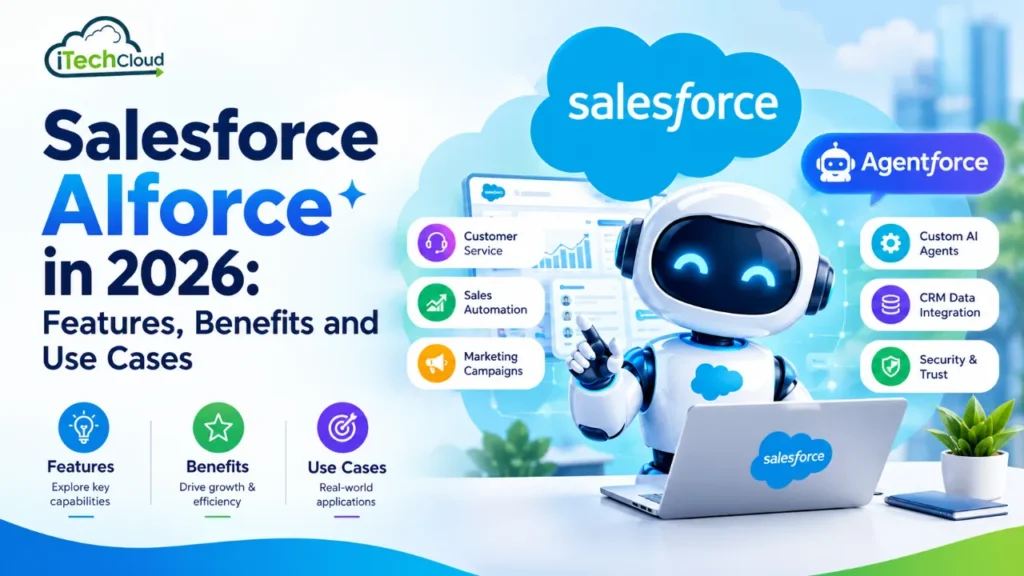
Salesforce integrates AI capabilities into its customer relationship management (CRM) ecosystem through technologies such as Einstein AI and Agentforce. These capabilities help businesses support customers, assist sales teams, streamline marketing activities, and automate selected business processes.
In 2026, Salesforce AI is increasingly focused on helping businesses move beyond traditional automation toward AI agents that can understand requests, access authorized information, and perform configured actions.
This guide explores Salesforce AIforce as a search topic, clarifies the role of Agentforce, and explains the key features, benefits, business use cases, limitations, and implementation steps organizations should understand.
What Is Salesforce AIforce?
Salesforce AIforce is a search term associated with Salesforce’s AI-powered business capabilities. However, Agentforce is the official name of Salesforce’s AI agent platform.
Agentforce enables organizations to build and deploy AI agents that work alongside employees to assist customers, retrieve relevant information, and perform defined business tasks. Depending on the configuration, these agents can use CRM data, approved knowledge sources, and connected business actions.
Traditional chatbots generally follow predefined conversational flows. AI agents can support more flexible interactions by interpreting requests and selecting from their configured actions, subject to their instructions, permissions, and available information.
For example, a customer service agent could help a customer check an order, explain a product feature, or troubleshoot a service issue. If the request requires additional judgment or falls outside the agent’s capabilities, the interaction can be escalated to a human representative.
By connecting AI capabilities with customer information, Salesforce helps organizations explore automation across sales, customer service, marketing, commerce, and internal operations.
Key Features of Salesforce AIforce in 2026
1. AI-Powered Customer Support
Customer service is one of the practical applications of Salesforce AI.
AI agents can answer common questions, explain product information, assist with basic troubleshooting, and retrieve information from approved knowledge sources. Businesses can configure supported customer service experiences across available digital channels.
For example, an online retailer could use an AI agent to answer questions about shipping policies, returns, and order status.
When an issue requires human judgment or cannot be resolved with the available information, the agent can be configured to escalate the conversation to a support representative.
2. Sales Automation and Lead Management
Sales teams often spend considerable time researching prospects, updating CRM records, drafting emails, and organizing follow-ups.
Salesforce AI capabilities can assist with these activities by helping teams:
Research potential customers and accounts.
Organize and prioritize sales opportunities.
Draft personalized sales emails.
Support lead nurturing activities.
Summarize customer interactions.
Prepare for sales meetings.
Identify relevant next steps.
For example, a B2B software company could use AI-assisted research to prepare account summaries and personalized outreach messages for sales representatives.
This can reduce administrative work and allow sales teams to spend more time building relationships and progressing qualified opportunities.
3. AI-Powered Marketing Campaigns
Marketing teams need to understand their audiences, develop content, personalize campaigns, and evaluate performance.
Depending on the Salesforce products and licenses available, AI capabilities can help marketers generate campaign ideas, draft emails, prepare marketing briefs, and tailor messages to customer interests.
For example, an online store could create different promotional messages for first-time customers and returning buyers.
AI can also support campaign planning by helping teams interpret available customer and campaign data. Marketing professionals should review generated content and recommendations to ensure accuracy, relevance, privacy compliance, and brand consistency.
4. Agentforce Builder and Custom AI Agents
Salesforce provides tools for creating and customizing AI agents around specific business requirements.
The Agentforce Builder experience supports agent configuration, while Agent Script can help teams define agent behavior through structured instructions and logic.
Organizations can configure an agent’s role, knowledge sources, available actions, and operational boundaries.
For example, a company could create an internal AI agent that helps employees locate company policies, retrieve authorized CRM information, or initiate approved workflows.
Low-code configuration may be sufficient for some use cases, while complex business requirements can involve custom development, integrations, and additional testing.
5. Integration With CRM Data
AI becomes more useful when it can access accurate, relevant, and authorized business information.
Salesforce AI capabilities can use configured CRM records and knowledge sources to support contextual responses and business processes.
Depending on the implementation, an agent may work with customer records, account information, sales opportunities, service cases, or company documentation.
For example, a support agent could retrieve relevant customer information and product documentation to help explain an issue.
Data quality and access permissions are essential. Incomplete records, outdated information, or restricted data can affect the usefulness and reliability of AI-generated responses.
6. AI Security and Trust Controls
Protecting customer information is essential when implementing AI in business systems.
Salesforce’s Einstein Trust Layer provides security and governance capabilities designed to support responsible use of generative AI.
Depending on the configuration and applicable features, these capabilities can include data protection measures, secure data retrieval, toxicity detection, and controls designed to reduce inappropriate or unreliable outputs.
Organizations should also configure appropriate permissions, test agent behavior, establish escalation procedures, and monitor performance.
AI security depends on the complete implementation, including data access, system configuration, organizational policies, and human oversight.
Benefits of Salesforce AIforce for Businesses
1. Improved Productivity
AI can help employees reduce time spent on repetitive tasks such as summarizing conversations, drafting emails, retrieving information, and updating records.
By reducing administrative work, teams can focus more on customer relationships, complex tasks, and strategic decisions.
2. Faster Customer Support
AI agents can handle supported customer requests outside regular business hours and help organizations respond to common inquiries more efficiently.
This can improve response times and help manage higher volumes of customer questions.
Actual results depend on the agent’s capabilities, data quality, configuration, and escalation process.
3. Better Customer Experiences
AI can support personalized interactions by using relevant customer information and previous interactions.
Sales representatives may receive useful account insights, while support teams can provide more contextual answers based on available customer records.
Personalization should always respect data access permissions and applicable privacy requirements.
4. Greater Operational Efficiency
Automating routine workflows can reduce manual effort and unnecessary handoffs between departments.
Businesses can explore AI-supported processes for lead qualification, case management, customer inquiries, and employee assistance.
To measure the value of these improvements, organizations should compare processing time, operating costs, resolution rates, and employee workload before and after implementation.
5. Scalability
As organizations grow, customer inquiries and internal workloads often increase.
AI agents can help businesses manage additional demand across supported channels without increasing human workload at the same rate.
However, organizations must consider usage limits, licensing, operating costs, monitoring, and the need for human intervention.
6. More Informed Decision-Making
AI can help employees summarize information, identify patterns, and interpret customer interactions.
Sales teams can use AI-generated summaries to prepare for meetings, while marketing teams can use available campaign data to support planning.
AI-generated insights should complement reliable reporting and human judgment rather than replace them.
Top Use Cases of Salesforce AIforce in 2026
1. Customer Service Automation
Companies can use AI agents to answer common questions, explain policies, guide customers through troubleshooting, and retrieve relevant information.
For example, a telecommunications company could use an agent to explain billing procedures or guide a customer through basic troubleshooting steps.
2. Sales and Lead Generation
AI can assist sales teams with account research, prospect qualification, outreach preparation, and follow-up organization.
For example, a software company could use available CRM information to prioritize prospects and prepare relevant questions before a sales call.
3. E-Commerce and Retail
Retail businesses can explore AI-powered customer experiences to answer product questions, recommend relevant items, and assist shoppers with product discovery.
An online fashion retailer, for example, could help shoppers find products based on their preferences and available product information.
4. Marketing Automation
Marketing teams can use AI to develop campaign ideas, draft promotional content, personalize messaging, and support customer segmentation.
For example, a retail brand could prepare separate email campaigns for first-time buyers and existing customers.
5. Employee Support
Internal AI agents can help employees locate company information, understand internal policies, and complete approved administrative workflows.
For example, an employee could ask an internal agent about a leave policy or request help finding a specific company document.
6. Financial Services
Financial services organizations can explore AI for customer inquiries, service request routing, document retrieval, and internal employee assistance.
For example, an AI agent could explain general account procedures or direct a customer to the appropriate service team.
Sensitive financial activities require appropriate permissions, compliance controls, and human review wherever necessary.
Salesforce AIforce vs. Traditional Chatbots
Traditional chatbots generally rely on predefined rules, scripts, and conversational flows. They work well for simple, predictable questions but may struggle with unexpected requests or tasks involving multiple connected actions.
Salesforce Agentforce can support more flexible interactions by combining AI capabilities with relevant business context and configured actions.
For example, a traditional chatbot might direct a customer to an order-tracking page. A properly configured AI agent could retrieve authorized order information and explain the current status directly within the conversation.
However, AI agents are not automatically more accurate or cost-effective in every situation. Their performance depends on data quality, instructions, model behavior, permissions, and testing.
For simple and predictable interactions, a traditional chatbot or rule-based workflow may remain the more practical solution.
Challenges and Limitations of Salesforce AIforce
Although Salesforce AI offers potential benefits, successful implementation requires careful planning.
Data quality: Incomplete, inaccurate, or outdated CRM records can lead to unreliable responses.
Implementation complexity: Advanced use cases may require developers, integrations, specialist knowledge, and thorough testing.
Costs and licensing: Pricing depends on the Salesforce products, editions, licenses, and usage involved. Businesses should evaluate expected costs before deployment.
Accuracy and reliability: AI-generated responses can contain errors. Important decisions and customer-facing outputs may require verification.
Privacy and security: Organizations must configure data access and permissions appropriately to protect sensitive information.
Employee training: Teams need to understand how AI works, when its output should be reviewed, and when human intervention is necessary.
A successful implementation should begin with a clearly defined business problem, measurable objectives, a controlled pilot, and ongoing performance monitoring.
How to Get Started With Salesforce AIforce
Businesses considering Salesforce AI can follow these practical implementation steps.
Step 1: Identify a Business Problem
Choose a repetitive task or customer issue that AI could reasonably improve. Define the expected outcome before selecting a solution.
Step 2: Review Available Data
Check whether the necessary CRM records and knowledge sources are accurate, current, and accessible to the intended AI agent.
Step 3: Select the Right AI Capability
Evaluate whether an AI agent, generative AI assistant, predictive capability, or traditional automation is best suited to the requirement.
Step 4: Configure Permissions and Actions
Define which information the AI can access, which tasks it can perform, and when it must escalate a request to a human employee.
Step 5: Test the Solution
Test realistic scenarios, including unexpected questions, incorrect inputs, sensitive requests, and situations requiring human assistance.
Step 6: Monitor Performance
Track relevant measures such as resolution rates, response quality, customer satisfaction, processing time, and operating costs.
Step 7: Improve Continuously
Use test results, employee feedback, and performance data to refine instructions, knowledge sources, workflows, and safeguards.
Availability, pricing, and implementation requirements vary by Salesforce product, edition, and license.
Conclusion
Salesforce AIforce is a relevant search topic for businesses exploring how artificial intelligence can improve CRM operations in 2026. Salesforce’s official Agentforce platform, together with Einstein AI and related capabilities, helps organizations explore intelligent automation across sales, customer service, marketing, commerce, and employee support.
Potential benefits include improved productivity, faster customer assistance, more personalized interactions, and greater operational efficiency. However, achieving these outcomes requires accurate data, appropriate licensing, clearly defined workflows, robust security controls, and continuous monitoring.
Businesses should start with a specific problem, test the solution on a manageable scale, and measure its impact before expanding deployment. Ultimately, Salesforce AI can deliver meaningful business value when organizations combine intelligent automation with human expertise, reliable data, and responsible AI practices.
Founder and CEO of iTechCloud Solution, a Salesforce consulting and product partner since 2017. He sets engagement strategy and stays the commercial owner of every account, working with clients across Salesforce, AI and data from the first call through to go-live.
Connect on LinkedIn

