Introduction: I Automated My Newsletter with 6 Sources Using N8n
Newsletters are a powerful way to engage with an audience, share insights, and build a community. However, manually curating content from multiple sources can be time-consuming. That’s why I decided to automate my newsletter using n8n, a powerful workflow automation tool.
In this blog post, I’ll walk you through how I set up an automated newsletter system that pulls content from six different sources, processes the data, formats it, and sends it out, all without manual intervention.
Table of Contents
Introduction: I Automated My Newsletter with 6 Sources Using N8nWhy Automate a Newsletter?The 6 Sources I UsedStep 1: Setting Up n8nStep 2: Building the WorkflowStep 3: Processing and Formatting DataStep 4: Sending the NewsletterStep 5: Error Handling & MonitoringFinal Workflow StructureConclusion
Why Automate a Newsletter?
Before we get into the technical details, let’s discuss why automation is beneficial:
Saves Time – No more copying and pasting links or formatting emails manually.
Ensures Consistency – The newsletter goes out on schedule every time.
Reduces Errors – Automation minimises human mistakes in data collection.
Scalability – Easily add new sources or modify the workflow as needed.
n8n (pronounced “n-eight-n”) is an open-source workflow automation tool similar to Zapier or Make (formerly Integromat), but with more flexibility and self-hosting options.
The 6 Sources I Used
To make my newsletter valuable, I wanted to pull content from diverse sources:
RSS Feeds (Blogs & News Sites)
Twitter/X (Trending Threads)
Reddit (Top Posts from Relevant Subreddits)
Hacker News (Top Tech Stories)
YouTube (Latest Videos from Selected Channels)
Dev.to (Popular Developer Articles)
By combining these, I ensured my newsletter had a mix of articles, discussions, and videos.
First, I needed to deploy n8n. Since it’s open-source, I had two options:
Self-hosted (using Docker, npm, or a cloud server)
Cloud version (n8n.cloud for managed hosting)
I chose self-hosting on a cheap VPS (like Linode or DigitalOcean) for full control. Installation was straightforward using Docker:
docker run -d --name n8n -p 5678:5678 -v ~/.n8n:/home/node/.n8n n8nio/n8nOnce running, I accessed the n8n editor.
The automation consists of multiple steps:
Fetching data from each source
Filtering and processing content
Formatting into a newsletter template
Sending via email (or another platform)
Here’s how I set it up:
1. Fetching RSS Feeds
I used the RSS Feed Read node to pull the latest articles from my favourite blogs.
Input: RSS feed URLs (e.g., TechCrunch, Medium blogs)
Filter: Only include posts from the last 7 days.
Output: Title, URL, and summary.
2. Scraping Twitter/X
Since Twitter’s API is restrictive, I used the n8n HTTP request node with a third-party API (like TwitFix or ScraperAPI) to fetch trending threads.
Input: Hashtags or keywords relevant to my audience.
Filter: Only threads with 100+ likes.
Output: Thread text, author, and link.
3. Pulling Reddit Posts
Reddit has a public API, so I used the Reddit node (or HTTP request) to fetch top posts.
Subreddits like r/programming and r/technology.
Filter: Posts with 500+ upvotes.
Output: Title, URL, and upvote count.
4. Getting Hacker News Stories
Hacker News provides an API. I used the HTTP request node to fetch top stories.
Endpoint: https://hacker-news.firebaseio.com/v0/topstories.json
Filter: Only stories with 100+ points.
Output: Title, URL, and score.
5. Extracting YouTube Videos
Using the YouTube node, I fetched the latest videos from selected channels.
Input: Channel IDs or search queries.
Filter: Videos published in the last week.
Output: Title, URL, and thumbnail.
6. Fetching Dev.to Articles
Dev.to has an API, so I used the HTTP Request node to retrieve trending posts.
Endpoint: https://dev.to/api/articles?top=7
Filter: Articles with high engagement.
Output: Title, URL, and tags.
Now that I had all the data, I needed to do the following:
Remove duplicates (same link across sources).
Sort by relevance (upvotes, likes, recency).
Format it into HTML for the newsletter.
I used:
Function nodes (for custom JavaScript filtering).
Merge nodes (to combine similar data).
HTML node (to structure the email).
Example of a simple HTML template:
<h1>Weekly Tech Digest</h1> <p>Here are the best links from the past week:</p><h2>📰 Top Articles</h2> <ul> {{#each articles}} <li><a href="{{url}}">{{title}}</a></li> {{/each}} </ul><h2>🐦 Trending Twitter Threads</h2> <ul> {{#each tweets}} <li><a href="{{url}}">{{text}} (by @{{author}})</a></li> {{/each}} </ul> <!-- More sections for Reddit, YouTube, etc. -->Step 4: Sending the NewsletterFinally, I needed to send the formatted content. I used SendGrid (but other options like Mailchimp, Gmail, or SMTP work too).
Configured the SendGrid API in n8n.
Set up an email list (either static or dynamic from a database).
The workflow is scheduled to run weekly at 9 AM every Monday.
Automation can fail, so I added the following:
Error triggers (Slack notifications if a step fails).
Logging (saving processed data for debugging).
Manual review option (a final step where I could approve before sending).
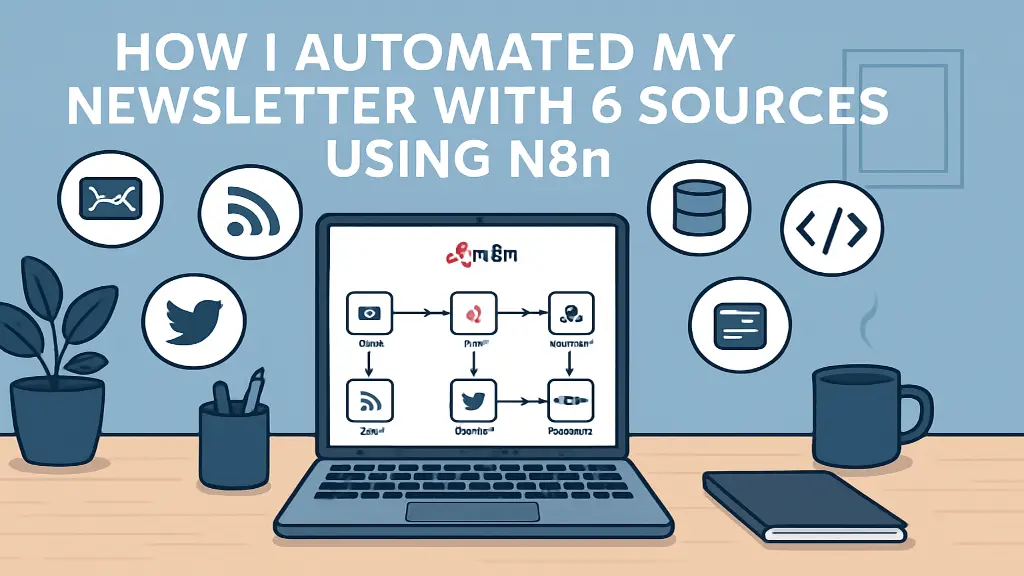
Here’s a simplified version of my n8n workflow:
1. Trigger: Time-based (weekly).
2. Data Collection:
RSS → Twitter → Reddit → Hacker News → YouTube → Dev.to
3. Data Processing:
Merge → Filter → Sort → Format HTML
4. Delivery:
SendGrid (or alternative).
5. Fallback:
Slack alert if something fails.
Automating my newsletter with N8n using six different sources has saved me hours of manual work and ensured consistent content delivery. By integrating tools like RSS feeds, Google Sheets, and email services, I created a seamless workflow that gathers, curates, and distributes valuable updates efficiently. This automation not only boosts productivity but also keeps my audience engaged with timely content. Whether you’re a creator or a business, N8n offers a powerful, no-code solution to simplify your newsletter process.
Founder and CEO of iTechCloud Solution, a Salesforce consulting and product partner since 2017. He sets engagement strategy and stays the commercial owner of every account, working with clients across Salesforce, AI and data from the first call through to go-live.
Connect on LinkedIn