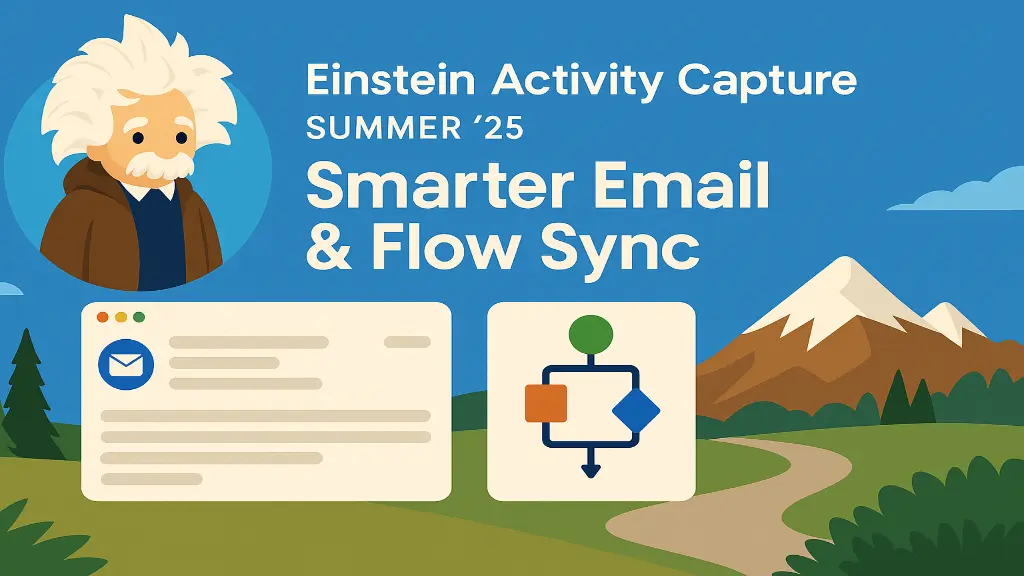
Introduction: Einstein Activity Capture Summer ’25
In the ever-evolving landscape of customer relationship management (CRM), seamless integration between communication channels and CRM systems is no longer a luxury; it’s a necessity. Salesforce Einstein Activity Capture (EAC) has long been a cornerstone for automating email, calendar, and task synchronisation between external email providers (like Gmail and Microsoft Outlook) and Salesforce. However, despite its utility, users have faced challenges with irrelevant email clutter, lack of granular control, and limited automation capabilities.
Table of Contents
The Summer ’25 release addresses these pain points with groundbreaking improvements.
Smarter Email Sync – AI-driven filtering that logs only relevant emails.
Flow-Powered Activity Capture – Custom automation rules using Salesforce Flow.
1. Einstein Activity Capture: A Foundational Overview
What is Einstein Activity Capture?
Einstein Activity Capture (EAC) is a Salesforce-native tool that automatically logs emails, calendar events, and tasks from Gmail, Outlook, and Office 365 into Salesforce. It eliminates manual data entry, ensuring that sales, service, and marketing teams have a complete view of customer interactions without switching between platforms.
Key Features (Pre-Summer ’25)
Challenges Before Summer ’25
Despite its benefits, EAC had limitations:
Noise Overload – Synced all emails, including newsletters, spam, and internal threads.
Limited Customisation – Admins couldn’t define granular filtering rules.
No Workflow Automation – Couldn’t trigger syncs based on CRM conditions (e.g., only log emails for high-priority deals
Summer ’25 solves these issues.
A. Smarter Email Sync – AI-Powered Filtering
The biggest frustration with EAC was clutter – unimportant emails flooding Salesforce. The Summer ’25 update introduces AI-driven email prioritisation, ensuring only business-relevant emails are logged.
How It Works
1. Einstein now analyses multiple factors to determine email relevance:
2. Admin-Controlled Filtering Rules
Admins can now define custom sync rules in Setup → Einstein Activity Capture → Email Filtering:
Domain Blocklist – Exclude emails from @newsletters.com and @spam.org.
Keyword Exclusions – Skip emails containing “unsubscribe”, “promo”, or “confidential”.
Attachment Handling – Choose whether to sync large files (reducing storage usage).
End-User Customization
Users can:
1. Manually exclude emails from sync.2. Adjust sync frequency (real-time vs. daily batches).3. Review AI suggestions before logging.
Result: A cleaner, more relevant activity timeline in Salesforce.
B. Flow Integration – Trigger-Based Activity Capture
Previously, EAC worked in the background without conditional logic. Now, Salesforce Flow can control:
✔ When emails/events are logged.✔ Which records they’re linked to.✔ What metadata is added (e.g., tagging high-priority emails).
Use Cases Enabled by Flow
How to Build a Flow for EAC
1. Create a Record-Triggered Flow (on EmailMessage or Event).
2. Define Conditions (e.g., “Only sync if the email subject contains ‘Contract'”).
3. Use EAC-Specific Actions:
Log Email to Salesforce
Link Activity to Record (e.g., Opportunity, Case)
Apply Custom Metadata (e.g., tag as “High Priority”)
Example Flow:
Trigger: Email Received (From: @client.com)
Condition: Subject Contains “Proposal”
Action: Log to Salesforce → Link to Opportunity → Add Task “Review Proposal”.
A. Sales Teams – Smarter Deal Tracking
Auto-Log Critical Emails: Only sync emails related to open opportunities.
Reduce Manual Work: No more copying/pasting email threads.
AI-Driven Insights: Einstein flags emails needing follow-up.
B. Customer Support – Faster Case Resolution
Auto-Log Customer Replies: All support emails are captured in Cases.
Automated Follow-Ups: Flow creates tasks for unresolved issues.
C. Marketing – Cleaner Lead Engagement Data
Exclude Newsletters: Avoid cluttering the CRM with marketing emails.
Track Campaign Responses: Log prospect replies for lead scoring.
ROI Benefits:
✔ 30%+ time savings (less manual logging).✔ Higher data accuracy (no irrelevant emails).✔ Better compliance (GDPR-friendly filtering).
Step 1: Enable Einstein Activity Capture
Go to Setup → Einstein Activity Capture.
Connect Gmail / Outlook.
Assign permissions to users.
Step 2: Configure Smart Email Filtering
Navigate to Activity Capture Settings → Email Rules.
Set up:Domain blocklists (e.g., @spam.com).
Keyword exclusions (“unsubscribe” and “promo”).
Attachment handling (skip files >10MB).
Step 3: Build Flows for Conditional Sync
Open Flow Builder.
Choose Record-Triggered Flow (on EmailMessage).
Add:Condition: “Only trigger if the email is from @client.com.”
Action: “Log to Salesforce & link to Opportunity.”
Step 4: Train Users
Please show them how to review the AI-suggested logs.
Explain manual exclusion options.
Storage Usage: Syncing large attachments consumes Salesforce data storage.
AI Not Perfect: May occasionally miss relevant emails (allow manual overrides).
GDPR Compliance: Ensure email logging follows privacy laws.
Salesforce plans to expand EAC with the following:
1. Teams/Slack/WhatsApp Integration2. Voice Call Logging3. Deeper Einstein AI Predictions (e.g., sentiment analysis).
The Summer ’25 release transforms Einstein Activity Capture from a passive sync tool into an AI-driven, workflow-automated powerhouse. By reducing noise and enabling flow automation, Salesforce ensures that only the most impactful customer interactions are captured, making CRMs smarter, not bloated.
Part of the team turning Salesforce and AI strategy into shipped, measurable outcomes for enterprises across five regions.