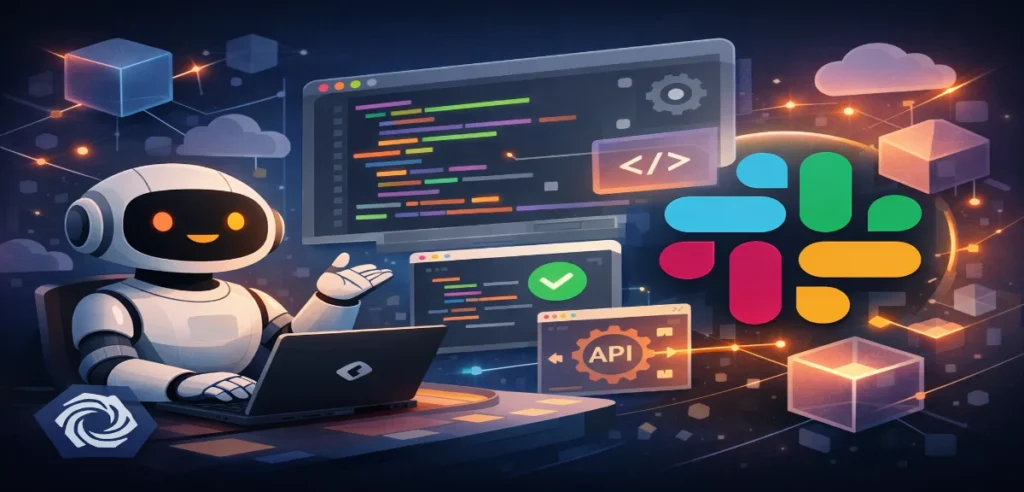
In this blog, we’ll explore what Claude Code for Slack is, how it works, why it matters, and what this means for Claude AI for Slack developers, Slack developer AI tools, and the future of software engineering workflows.
Table of Contents
What Is Claude Code for Slack?How the Integration WorksWhy This Matters for DevelopersComparison With Other Slack Developer AI ToolsChallenges and ConsiderationsWhat This Means for the Future of Dev WorkConclusion
What Is Claude Code for Slack?
At its core, Claude Code for Slack is a beta feature (research preview) that lets developers delegate coding tasks directly from Slack conversations rather than switching to an IDE or external tool. By tagging Claude in Slack threads, teams can convert context-rich discussions such as bug reports, feature requests, or technical questions into actionable coding sessions with Claude Code behind the scenes.
This preview builds on the existing Anthropic Claude Slack integration, where Claude already assists inside Slack as a conversational AI, but it adds a whole new dimension: agentic coding. Instead of just generating snippets, Claude Code can run full workflows on the web and automate parts of software development.
In simple terms, the integration means developers no longer have to leave Slack to get code written, debugged, or reviewed by AI. This also helps teams preserve valuable context right where the discussion actually happens.
How the Integration Works
Here’s how Claude Code for Slack operates in practice:
Triggering a Coding Task
Developers simply type @Claude in a thread to signal a coding job. Claude reviews the message and determines whether it’s a coding task. If so, it
Analyses the Slack conversation for context (bug report, feature description, logs, etc.).
Identifies the appropriate code repository based on linked repos authenticated in Claude Code.
Starts a Claude Code session on the web using that context.
Automated Workflow Execution
Once the session starts, Claude Code:
Implements solutions (like bug fixes or small features).
Posts status updates back in the Slack thread so teams can follow progress.
Provides links to review the results or open a pull request.
No Disruption to Existing Workflows
This integration doesn’t require users to copy code or switch applications manually. It works as part of Slack’s conversation flow, making it extremely intuitive for teams that already rely on Slack for technical coordination.
For Slack developers and engineering teams, this launch fundamentally shifts how they use AI coding tools. Let’s break down the major benefits:
1. Maintain Workflow Context
Traditionally, coding AI assistants live in IDEs like VS Code or web consoles. Developers would identify a problem in Slack, then switch tools to interact with AI assistants. With Claude Code for Slack, the transition from discussion to implementation happens automatically, meaning Slack becomes the place where context, conversation, and coding meet.
2. Reduced Context Switching
Context switching has always been a productivity killer: imagine reading a bug description in Slack, copying it, pasting into another app, repeating the context, and waiting for answers. Now, Claude Code does all these tasks automatically, pulling the right details directly from Slack conversations.
3. Collaborative AI Coding
Because Claude Code reports back into Slack threads, developer teams can track AI activity, discuss results, and provide feedback within the same conversation. This shared visibility makes AI a collaborator, not a hidden tool.
4. Full Workflow Automation
Unlike typical AI assistants that offer individual code snippets or suggestions, Claude Code can automate more complex workflows, such as:
Debugging issues
Adding small features
Creating documentation
Opening pull requests
All without leaving Slack.
This places Claude AI for Slack developers in the same league as powerful standalone coding assistants, but with better integration into daily team communications.
Slack’s ecosystem is rapidly becoming an AI hub, and Claude Code’s integration signals competition with other Slack developer AI tools, like:
GitHub Copilot integrations
AI plugins for VS Code
Standalone coding bots in Slack
What sets Claude Code apart is its agentic approach; it doesn’t just suggest code, it executes workflows in context, combining Slack’s conversation data with repository access and developer feedback loops.
This is more than a chatbot feature; it’s a new kind of AI collaborator embedded within the developer’s primary workspace.
Requirements and Access
To use Claude Code for Slack:
Your Slack workspace must have the Claude app installed (from the Slack Marketplace for Team or Enterprise plans).
A workspace admin must enable Claude Code access on the web.
Users must have appropriate permissions to access linked repositories.
Once set up, teams can start tagging Claude to initiate coding sessions without managing separate tools.
While the integration is powerful, it also raises some important points developers should be aware of:
Security and IP Concerns
Connecting Slack conversations with repository access means that sensitive code and internal discussions could be accessible through the AI. Organizations must ensure proper access controls and security policies are in place before enabling Claude Code.
Dependency on Cloud Services
If Slack, Claude Code, or repository services have downtime, it could interrupt the integrated workflow, so teams should plan for reliability contingencies.
Review Needed for AI-Generated Code
While AI automation is useful, human oversight remains critical. AI-generated code may still require review, testing, and refinement, especially for production systems.
The launch of Claude Code for Slack developers reflects a bigger trend:
AI is moving toward collaboration-first environments
Instead of living solely in IDEs, AI assistants will increasingly reside where developers already communicate and coordinate.
Slack is becoming an AI work hub
With integrations like Claude Code and Slack’s own AI agents, Slack is positioning itself as more than a messaging tool; it’s an AI-assisted work operating system.
Developers will expect AI “agents”, not just assistants
Future tools will go beyond chat responses and become autonomous partners that can act, execute, and deliver within existing workflows.
Anthropic’s preview of Claude Code for Slack marks a major evolution in Anthropic Claude Slack integration, offering developers an AI-driven way to delegate coding tasks directly where they talk about them most. By bringing Claude AI for Slack developers into conversations, teams can automate workflow execution, reduce context switching, and keep development momentum high.
For organizations embracing Slack developer AI tools, this integration could become a staple of daily engineering life, streamlining everything from bug fixes to collaborative coding sessions without leaving Slack. As AI continues to embed itself into developer workflows, Claude Code for Slack stands as a powerful example of where the future of work is headed: seamless, intelligent, and deeply collaborative.
Founder and CEO of iTechCloud Solution, a Salesforce consulting and product partner since 2017. He sets engagement strategy and stays the commercial owner of every account, working with clients across Salesforce, AI and data from the first call through to go-live.
Connect on LinkedIn