Executive summary
From a postcode to an installed window.
A US manufacturer of windows and doors sells through its website, its showrooms and its call centre, then books a visit, quotes the work, installs it and supports it afterwards. That journey crossed territory boundaries, internal and third-party installers, an external quoting system and a back-office platform, and it ran across tools that did not talk to each other.
iTechCloud Solution implemented Salesforce as the single operating platform for the whole lifecycle. At its centre is a custom appointment-availability engine that turns a customer's postcode into a calendar of slots a real resource can actually work, combining territory routing, resource skills, ranking, calendar constraints and a configurable visit duration, with a temporary hold on the resource while the customer finishes booking.
The platform now connects the full chain: enquiry, appointment, soft and hard assignment, account and opportunity, external quotation, work order, work order line items, field service visits, internal or third-party execution, installer payout and after-sales cases.
- Client
- A leading US window and door manufacturer (anonymised)
- Industry
- Manufacturing: windows and doors, with direct sales and installation
- Users
- Customers booking online, call centre and showroom staff, sales representatives, dispatchers, internal installers, third-party installers, after-sales service teams
- Platform
- Salesforce Sales Cloud, Experience Cloud, Field Service, Service Cloud, Territory Management, Salesforce Scheduler, Node.js integration layer
- Scope
- Appointment availability engine, territory routing, soft and hard assignment, opportunity management, quotation integration, work orders and field execution, installer payout, after-sales cases, dashboards
- Engagement
- End-to-end Salesforce implementation across sales, field service and service
The situation
One journey, several systems, no shared view.
The customer journey ran from a website enquiry or a showroom conversation through to an installed product and whatever support followed. Each part of it worked, but they were separate, and the joins were manual.
Appointment coordination by hand
Booking a visit meant someone working out which branch covered the customer, who was free, and whether they were the right person for the job. A generic calendar cannot answer that, so the work fell to people with phones and spreadsheets.
Double bookings
With availability calculated once and shown to everybody, two customers could see the same slot and both try to take it. Nothing held a resource while a customer finished filling in their details.
Complex territories
Commercial ownership and field coverage are not the same shape. Sales needed branch and territory visibility over accounts and opportunities; field service needed to know which resources can work in which geography.
Customer data exposed too early
Appointments have to be visible for planning well before they happen, but the customer's address and location do not need to be visible to everyone that far ahead.
Quoting outside the CRM
Quotations were produced in a separate system, so the commercial record lived in two places and sales representatives worked across both.
A mixed workforce
Some installations are carried out by employees and some by third-party installers, and the two need different handling operationally and, at the end, different settlement.
Our approach
Availability that reflects reality.
The decision that shaped the build was to stop treating appointment booking as a calendar and start treating it as a question for the platform: given this postcode, this kind of work and this moment, who could actually do it, and when? Everything downstream, assignment, quoting, installation and settlement, hangs off the answer.
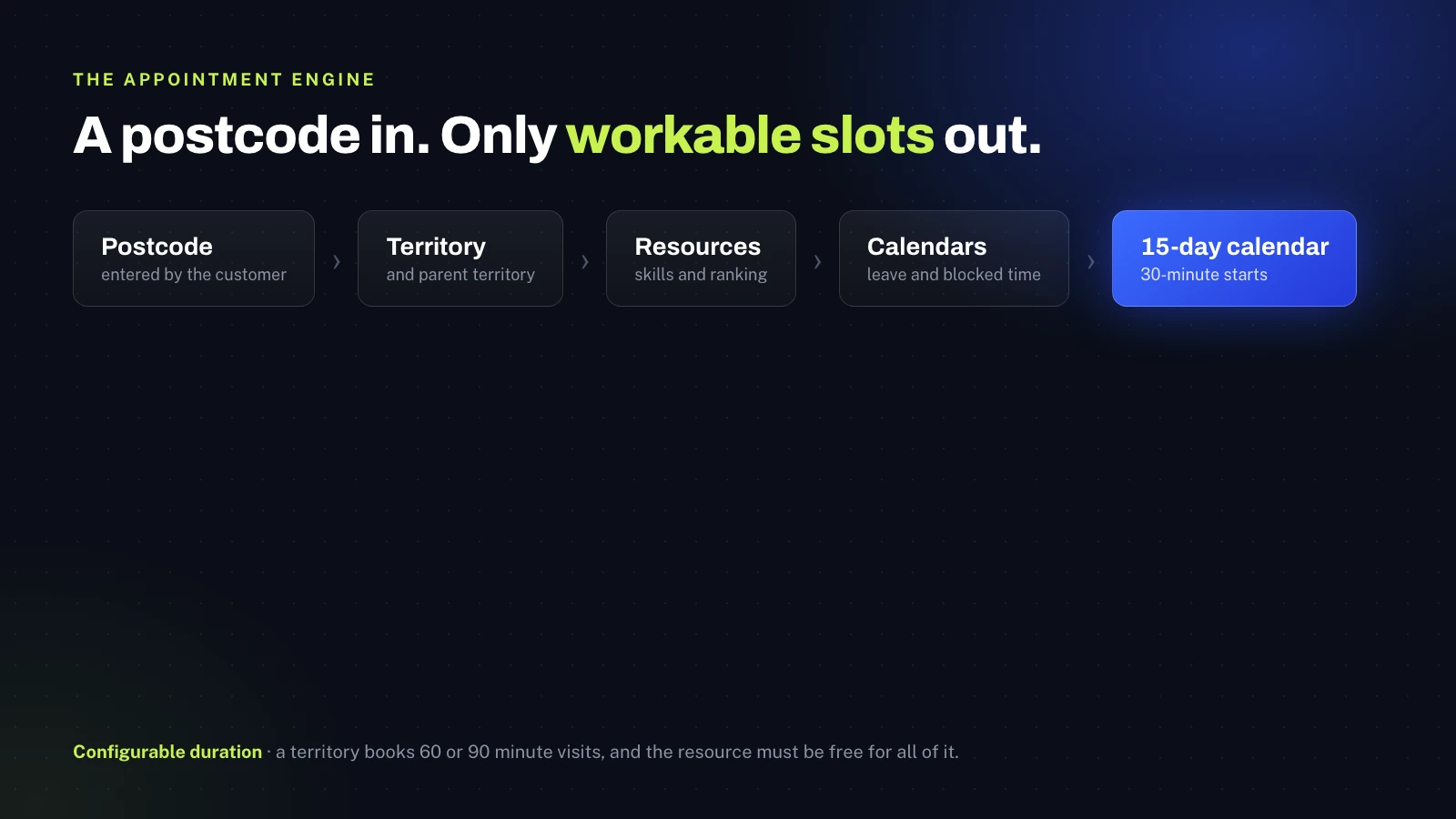
A customer enters a postcode. The digital experience calls Salesforce, which resolves the matching territory and its parent territory, identifies the resources allocated to it, and evaluates each one against skills, ranking, existing appointments and calendar blocks. What comes back is the next 15 days with start times every 30 minutes, where the visit duration is set per territory, 60 or 90 minutes, and the resource has to be free for all of it. Slots with no valid resource are shown as unavailable rather than quietly offered.
When the customer picks a slot, one eligible resource is held for up to 30 minutes while they finish the form. If they submit, the hold becomes part of the confirmed assignment; if they walk away, it expires and the slot returns. That one mechanism is what removes the race between two customers booking the same resource at the same time.
A booking screen that offers a slot nobody can work is worse than no booking screen at all. The engine answers with the resource, not just the hour.
Subhash Panchani, CEO & Co-Founder, iTechCloud Solution
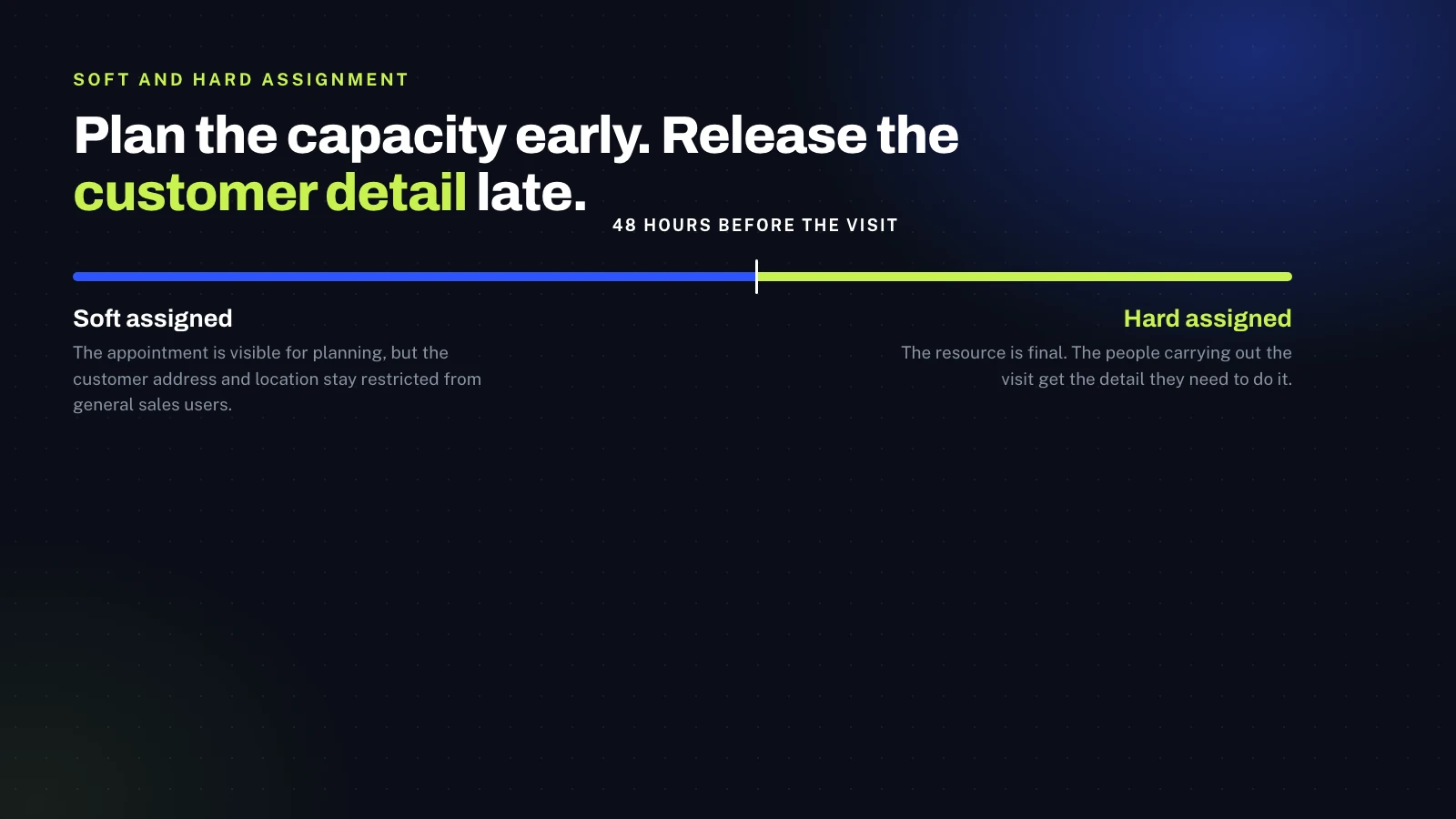
The second decision was to separate early planning from final commitment. Up to around 48 hours before the visit the appointment is soft assigned: it is visible for capacity planning, but the customer address and location stay restricted from general sales users, with administrators keeping the broader view they need. At the 48-hour threshold it becomes hard assigned, the resource is final, and the people carrying out the visit get the detail they need to do it.
What we built
The lifecycle, on one platform.
Salesforce is used as one integrated platform here rather than several clouds bolted together. Each capability owns a stage of the journey and hands cleanly to the next.
Digital booking on Experience Cloud
The customer-facing experience is the digital front door: it captures the postcode, resolves the territory, calls the availability service, renders the live calendar with unavailable slots disabled, holds the chosen resource and collects the customer's information before submission. The same journey serves enquiries that start on the website, in a showroom or through the call centre.
Sales Cloud, accounts, opportunities and territories
A central customer master supports individual customers, builders and organisation accounts. Opportunities are created from the appointment and progress through a controlled set of stages and closed statuses, so outcomes mean something when they are reported. Territory Management governs which accounts and opportunities each user sees, matching the branch and territory structure the business already runs, and feeds the representative ranking and territory reporting used by management.
Quotation through the external system
Quoting happens in the manufacturer's external quotation platform. A Node.js integration layer sends opportunity information out, the external system creates and maintains the quotation, and the quotation data is synchronised back into Salesforce. Sales representatives carry on working from Salesforce, which stays the commercial system of record for the wider lifecycle, and the quote outcome is what triggers work order creation downstream.
Field Service: work orders, line items and visits
An installation is rarely one task. The work order represents the job, work order line items break it into its real components such as window installation, door installation, measurement and inspection, and service appointments represent the actual scheduled visits against those components. Service resources, service territories and skill requirements decide who can be sent. In the field, installers work in the Field Service mobile app, updating status and capturing photos, site information and customer signatures as evidence of completion.
Internal and third-party installers, through to payout
A service resource can be an employee or an external installer, and the platform carries both through the same scheduling and execution path while handling them differently where it matters. When external work completes, the captured status and evidence drive payout eligibility, installer payout and invoice information is generated, and vendor settlement runs downstream. The mixed workforce stops being two parallel processes.
Calendars, cancellation and rescheduling
Representative leave and blocked time are held as calendar events that the availability engine reads, so booking cannot land on a period someone is unavailable, and availability recalculates when a calendar changes. Cancelling or rescheduling releases or updates the existing resource commitment, sends the request back through availability evaluation so the new slot is validated against territory, resource and calendar constraints, reapplies the assignment logic and updates the appointment and its related records.
After-sales service and reporting
The journey does not end at installation. Complaints and support requests arriving by phone or email become Salesforce cases, assigned, worked and closed with the customer and account context already in front of the agent, and escalated into field work where a physical visit is needed. Across all of it, dashboards consolidate sales pipeline and outcomes, appointment volumes and statuses, resource availability and utilisation, territory and branch performance, representative ranking, work order and completion status, case volumes and external installer activity.
The outcome
A connected lifecycle, with the joins designed in.
One operating platform
Customer, account, opportunity, appointment, work and service information sit together in Salesforce rather than in systems that each hold a part of the picture.
Availability that is real
Appointment slots are calculated against territory, resource capacity, skills, calendars and a configurable visit duration, so what the customer is offered is what can actually be delivered.
Slots that hold
A temporary reservation during online booking protects the chosen resource and time while the customer completes their details, removing the double-booking race.
Customer detail released late
Soft assignment keeps address and location restricted during the planning window, and hard assignment releases them to the people who need them once the visit is close.
Assignment on merit
Final assignment evaluates the eligible pool against territory, availability, skills and ranking rather than taking the first free name on the list.
Quoting joined up
Opportunity data flows out to the external quotation platform and quotes flow back, so the sales representative works in one place and the quote outcome drives the installation.
One path for both workforces
Employees and third-party installers are scheduled and executed through the same model, with external completion feeding payout and vendor settlement.
Service after the sale
After-sales issues are managed as cases with full customer context, and escalate into field work when someone needs to attend.
Platform & tooling
What's under the hood.
Sales Cloud
Customer and account management, opportunity lifecycle and sales stages, controlled closed statuses, sales visibility and performance reporting.
Experience Cloud
The customer-facing digital entry point: appointment initiation, postcode capture, customer information collection and the scheduling experience.
Field Service
Work orders, work order line items, service appointments, service resources, service territories, skills, scheduling, dispatch and mobile execution.
Service Cloud
After-sales case management: complaint handling, phone and email service requests, assignment, resolution and closure.
Platform & automation
Apex and Flow for the business rules: custom objects, event-driven calendar logic, sharing and security, the temporary reservation and the assignment logic.
Scheduling
Salesforce Scheduler and Field Service scheduling for candidate availability, booking, rescheduling, skill and resource constraints and time windows.
Territory Management
Branch and territory based access to accounts and opportunities, alongside Field Service territories for resource coverage.
Integration layer
A Node.js application orchestrating the external quotation synchronisation and the other API-based integrations, with mapping, SMS and email services alongside.
Two geographic models, kept apart
Sales territories control commercial ownership and CRM visibility. Field Service territories control field execution, resource coverage and scheduling. Keeping them as two models aligns sales ownership with operational delivery without forcing either to bend to the other, which is the usual cost of collapsing them into one structure.
Working with iTechCloud
How the engagement ran.
A build that spans a public booking experience, a sales process, a field workforce and an after-sales function rewards getting the shared model right before building any one surface on top of it. The appointment engine in particular was treated as a piece of engineering rather than a configuration exercise, because every downstream process depends on the answer it gives.
Engagement model
An end-to-end Salesforce implementation across Sales Cloud, Experience Cloud, Field Service and Service Cloud, with the custom availability and assignment logic built on the platform and an integration layer connecting the external quoting, back-office, mapping and communication systems.
Security and data visibility
Territory-based access governs accounts and opportunities, with custom sharing for the operational objects where standard sharing does not match the process. Soft-assignment privacy rules restrict customer, address and location information before final assignment, administrators keep the visibility they need for oversight, and internal and external field resources are handled separately throughout.