
This development also creates new opportunities for organizations looking to improve CRM integration, automate sales operations, and get more value from their existing Salesforce and Microsoft investments.
What Is Copilotforce?
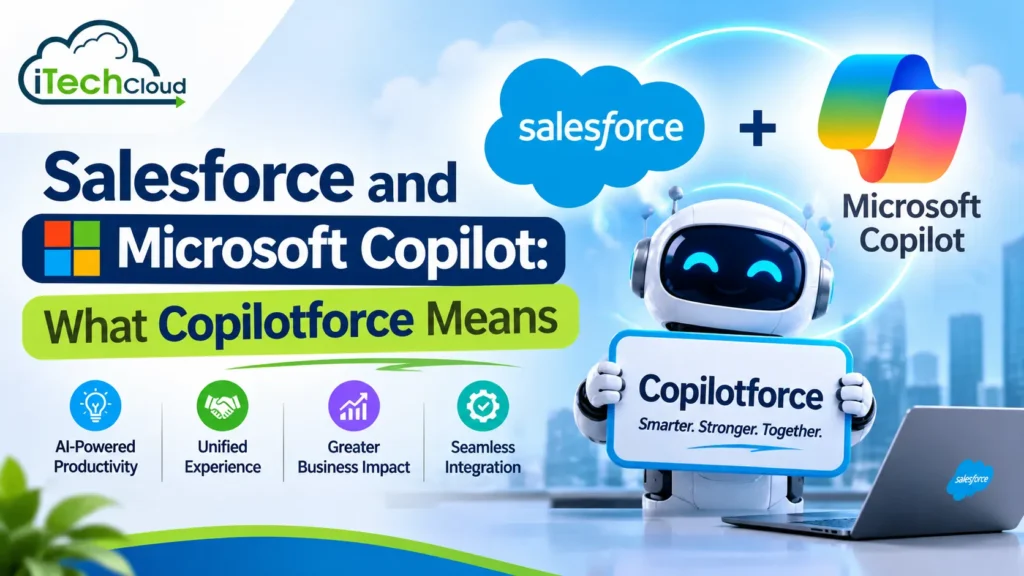
Copilotforce is a collaboration between Salesforce and Microsoft that connects Salesforce CRM capabilities with Microsoft Copilot, Teams, and Fabric.
It combines Salesforce customer data and business workflows with Microsoft’s workplace intelligence, known as Work IQ. Work IQ helps Copilot understand relevant information from Outlook emails, Teams meetings, SharePoint, and OneDrive documents.
The result is a more connected working environment where AI can use customer information alongside business conversations and documents to provide useful recommendations and support sales activities.
Rather than replacing Salesforce, Copilotforce extends Salesforce capabilities into the Microsoft applications employees already use.
How Does Copilotforce Work?
The collaboration introduces three important integration areas.
1. Salesforce Inside Microsoft Copilot
Salesforce in Microsoft Copilot allows sales professionals to interact with CRM information through natural-language questions.
For example, a salesperson preparing for a customer meeting could ask Copilot to summarize account history, review open opportunities, identify potential deal risks, and prepare follow-up recommendations.
Important capabilities include:
Customer Meeting Preparation: Combine Salesforce account information with relevant meeting transcripts and business conversations.
Deal Health Analysis: Identify customer concerns, unresolved commitments, and opportunities that may be at risk.
Pipeline Review: Understand opportunity progress and prioritize deals that need attention.
Sales Follow-ups: Prepare follow-up messages, meeting summaries, and proposed CRM activities.
Close Planning: Turn pipeline information into practical sales plans and supporting business documents.
Salesforce in Copilot also includes more than 38 prebuilt sales skills, helping businesses use AI for common sales activities without building every workflow from scratch.
2. Salesforce and Microsoft Copilot Teams Integration
Microsoft Teams is already an important collaboration platform for many organizations. Copilotforce extends Salesforce functionality into this working environment.
With Sales Cloud in Teams, employees can access customer context, review pipeline progress, receive deal-related notifications, and collaborate around opportunities.
For example, when a sales team discusses an important opportunity in Teams, members can access relevant Salesforce information and coordinate the next steps without repeatedly switching applications.
Supported opportunity updates can also be saved back into Salesforce, helping maintain consistent CRM records.
This integration is particularly useful for sales managers, account executives, and customer-facing teams that regularly collaborate across departments.
3. Salesforce Data 360 and Microsoft Fabric Integration
Another major development is the connection between Salesforce Data 360 and Microsoft Fabric through bidirectional Zero Copy capabilities.
Many companies maintain customer information in Salesforce while storing financial, operational, and analytical information in other enterprise systems.
Moving and maintaining duplicate datasets can create additional complexity.
With Zero Copy data federation, supported Microsoft Fabric OneLake data can be queried from Salesforce Data 360 without moving the original data into another storage location.
Salesforce Data 360 can also securely share curated customer intelligence into Microsoft OneLake.
This creates opportunities for better customer insights, business reporting, data analysis, and AI-powered decision-making across both platforms.
Why Does Copilotforce Matter for Businesses?
Copilotforce is important because it connects customer data with the everyday work employees perform.
Businesses can benefit in several ways:
Improved Sales Productivity: Sales representatives can spend less time collecting customer information and more time building relationships and closing opportunities.
Better Customer Visibility: Combining CRM records with emails, meetings, and documents provides a broader understanding of customer requirements.
Reduced Manual Work: AI-assisted meeting preparation, deal reviews, and follow-ups can reduce repetitive administrative tasks.
Connected Business Data: Salesforce and Microsoft Fabric integration provides additional opportunities to use enterprise information without maintaining unnecessary duplicate datasets.
More Consistent CRM Operations: Supported actions and updates can flow back into Salesforce while respecting existing permissions and validation rules.
What Should Businesses Consider Before Implementing Copilotforce?
Although these integrations create opportunities, businesses should evaluate their existing technology environment before implementation.
Start by reviewing Salesforce data quality, CRM customization, Microsoft 365 usage, user permissions, and existing integration architecture.
Security is particularly important. Salesforce continues to govern access to its CRM records and supported business actions, while Microsoft applies its enterprise controls to workplace communications and documents. Supported CRM writeback actions require user confirmation.
Organizations should also identify which sales processes are suitable for AI assistance and establish clear approval processes for important customer-facing activities.
A successful implementation requires more than connecting two platforms. It needs clean data, well-designed workflows, appropriate permissions, and ongoing performance monitoring.
How ITechCloud Solution Can Help Businesses Prepare
ITechCloud Solution can help organizations turn Salesforce and Microsoft integration opportunities into practical business improvements.
As a Salesforce consulting and implementation partner, ITechCloud Solution can support businesses with:
Salesforce Consulting: Evaluate existing CRM processes and identify opportunities for AI-driven improvements.
Salesforce Integration: Connect Salesforce with Microsoft business applications and other enterprise systems through suitable integration architectures.
Salesforce Customization: Develop customized workflows, business logic, and CRM functionality based on organizational requirements.
Agentforce Implementation: Identify suitable AI agent use cases and design workflows that support sales and customer service operations.
Data Management: Improve Salesforce data quality, accessibility, and governance to support reliable AI experiences.
Managed Services: Monitor, maintain, and improve Salesforce environments as business requirements evolve.
Every organization has different integration requirements. Our approach starts with understanding existing Salesforce configurations, Microsoft applications, business objectives, and technical challenges before recommending an implementation strategy.
Final Thoughts
Copilotforce represents an important development in the relationship between Salesforce CRM and Microsoft’s AI-powered productivity ecosystem.
By connecting Salesforce customer context with Microsoft Copilot, Teams, and Fabric, businesses have new opportunities to improve sales productivity, connect enterprise data, and reduce application switching.
However, the real value will depend on implementation quality, data readiness, security, and how effectively organizations connect AI capabilities with their business processes.
Planning to connect Salesforce and Microsoft Copilot or introduce AI-powered CRM workflows?
Partner with ITechCloud Solution to evaluate your Salesforce environment, explore integration opportunities, and build a practical roadmap for smarter CRM operations and business automation.
Explore our Salesforce Consulting Services to get started.
Founder and CEO of iTechCloud Solution, a Salesforce consulting and product partner since 2017. He sets engagement strategy and stays the commercial owner of every account, working with clients across Salesforce, AI and data from the first call through to go-live.
Connect on LinkedIn