
Introduction
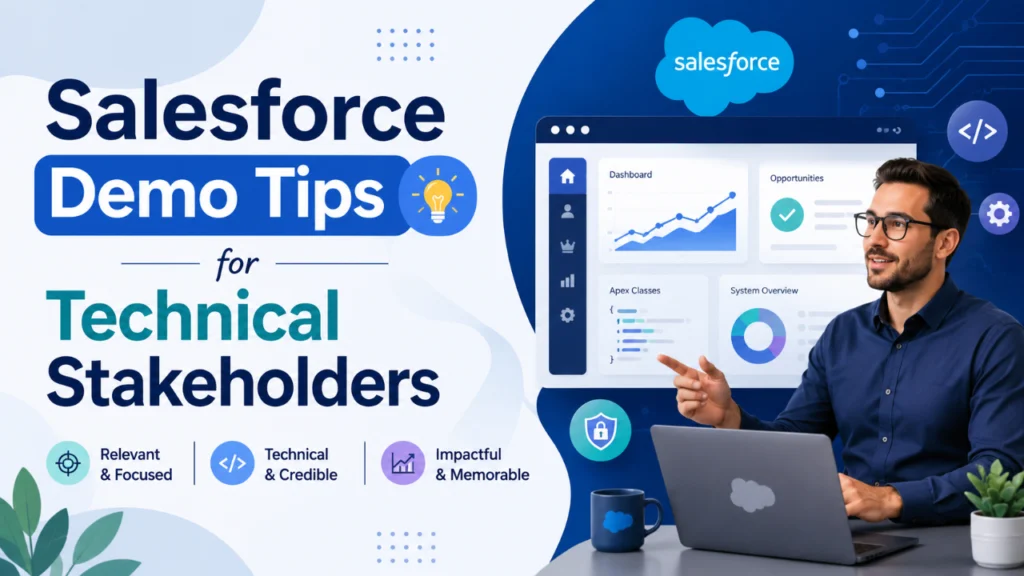
Technical stakeholders often play a critical role in Salesforce purchasing and implementation decisions. While business leaders focus on outcomes such as revenue growth and customer experience, technical teams evaluate security, integrations, scalability, customisation, and long-term maintainability. A successful Salesforce demo must address these concerns and clearly demonstrate how the platform fits into the organisation’s existing technology ecosystem. This guide explores practical Salesforce demo tips that help sales engineers, consultants, and solution architects engage technical audiences effectively.
Table of Contents
Introduction
Why Technical Stakeholders Matter in Salesforce Demos
How to Prepare for a Salesforce Technical Demo
What Technical Stakeholders Expect to See During a Salesforce DemoSystem Architecture
Integration Capabilities
Security and Compliance
Scalability
Customization and Development
Best Salesforce Demo Tips for Technical StakeholdersFocus on Real Business Scenarios
Customize Every Demo
Demonstrate Technical Depth
Use Live Demonstrations
Explain Architecture Clearly
How to Showcase Salesforce Security Effectively
How to Demonstrate Salesforce Integration Capabilities
Addressing Common Technical ObjectionsCan Salesforce integrate with legacy systems?
Is Salesforce secure enough for enterprise environments?
Can Salesforce scale as our business grows?
How much customisation is possible?
Common Mistakes to Avoid During Technical Salesforce Demos
How to Increase Technical Stakeholder Buy-In
Conclusion
Why Technical Stakeholders Matter in Salesforce Demos
Technical stakeholders are responsible for validating whether Salesforce can integrate with existing systems, meet security requirements, support future growth, and align with architectural standards. Their approval often determines whether a CRM project moves forward. Unlike business users, technical audiences focus on implementation feasibility, platform flexibility, and operational risks.
Key stakeholders may include the following:
Solution Architects
Salesforce Developers
IT Managers
Security Teams
System Administrators
Integration Specialists
Enterprise Architects
Understanding their priorities before the demo allows presenters to tailor discussions and demonstrate relevant capabilities.
How to Prepare for a Salesforce Technical Demo
Preparation is one of the most important factors influencing demo success. Before presenting, research the prospect’s technology environment, existing CRM systems, integration challenges, and business objectives.
Important discovery questions include:
What CRM platform is currently being used?
Which applications require Salesforce integration?
What security or compliance requirements exist?
How much customisation is expected?
What reporting challenges are being faced?
Are there concerns about scalability or performance?
The answers help create a personalized demonstration rather than a generic product walkthrough.
What Technical Stakeholders Expect to See During a Salesforce Demo
Technical audiences typically evaluate five major areas:
System Architecture
Stakeholders want to understand how Salesforce’s multi-tenant architecture manages data and how the platform supports enterprise-grade applications.
Integration Capabilities
Demonstrating API connectivity, middleware options, and third-party integrations is often essential. Technical teams want proof that Salesforce can work seamlessly with ERP systems, marketing platforms, customer service tools, and internal applications.
Security and Compliance
Security discussions should include role-based access controls, permission management, encryption capabilities, audit trails, and compliance standards.
Scalability
Organizations need confidence that Salesforce can support growing user bases, larger datasets, and increasing business complexity without performance degradation.
Customization and Development
Developers and architects are often interested in Apex, Lightning Web Components, Flow Automation, custom objects, and deployment methodologies.
Best Salesforce Demo Tips for Technical Stakeholders
Focus on Real Business Scenarios
Rather than demonstrating isolated features, show complete business processes. Technical audiences appreciate seeing how Salesforce solves real-world challenges through automation, integrations, and data management.
Customize Every Demo
Generic demonstrations rarely impress technical stakeholders. Tailor workflows, dashboards, integrations, and use cases to match the prospect’s industry and technology stack.
Demonstrate Technical Depth
Be prepared to discuss:
APIs
Data Models
Security Architecture
Deployment Options
DevOps Processes
Integration Frameworks
Providing detailed explanations builds credibility with technical teams.
Use Live Demonstrations
Whenever possible, showcase working automations, integrations, and reporting capabilities. Live demonstrations help technical stakeholders understand platform functionality and implementation possibilities.
Explain Architecture Clearly
Avoid overwhelming audiences with unnecessary complexity. Present architecture diagrams and workflows that clearly explain how Salesforce fits within the broader enterprise ecosystem.
How to Showcase Salesforce Security Effectively
Security is often one of the most significant concerns during technical evaluations.
Important topics to cover include:
Role Hierarchy
Permission Sets
Field-Level Security
Data Encryption
Audit Tracking
Event Monitoring
Identity Management
Multi-Factor Authentication
Explain how Salesforce enables organizations to protect sensitive customer data while maintaining operational efficiency.
How to Demonstrate Salesforce Integration Capabilities
Integration discussions are critical because most organizations rely on multiple business systems.
Demonstration examples may include:
ERP Integration
Marketing Automation Connections
Customer Support Platform Synchronization
Third-Party Application Connectivity
API-Based Data Exchange
Real-Time Data Synchronization
Showing practical integration scenarios helps stakeholders see the success of the implementation.
Addressing Common Technical Objections
Technical stakeholders often raise concerns about implementation complexity, scalability, customisation, and security.
Common questions include:
Can Salesforce integrate with legacy systems?
Explain API capabilities, middleware options, and integration frameworks that simplify connectivity.
Is Salesforce secure enough for enterprise environments?
Discuss compliance certifications, encryption features, access controls, and monitoring capabilities.
Can Salesforce scale as our business grows?
Present examples of enterprise organizations using Salesforce globally while managing large datasets and complex business operations.
How much customisation is possible?
Highlight declarative tools, custom development options, Lightning components, and platform extensibility.
Providing clear, evidence-based answers helps reduce uncertainty and increase confidence.
Common Mistakes to Avoid During Technical Salesforce Demos
Many Salesforce presentations fail because they focus exclusively on visual features while ignoring technical concerns.
Avoid these mistakes:
Delivering generic product demonstrations
Ignoring architecture discussions
Skipping security topics
Avoiding integration conversations
Failing to answer technical questions
Demonstrating irrelevant features
Providing unrealistic implementation timelines
A successful technical demo balances product functionality with technical validation.
How to Increase Technical Stakeholder Buy-In
Winning technical support requires more than showcasing features. Presenters must demonstrate how Salesforce aligns with organisational architecture, security policies, and long-term growth strategies.
Effective approaches include:
Sharing relevant use cases
Demonstrating realistic implementation scenarios
Addressing risks transparently
Showing scalability strategies
Explaining governance models
Providing technical documentation references
Encouraging interactive discussions
When stakeholders understand both the business and technical value of Salesforce, approval cycles often become significantly faster.
Conclusion
A successful Salesforce demo for technical stakeholders goes far beyond showcasing dashboards and user interfaces. Technical audiences need to be confident that Salesforce can integrate seamlessly with existing systems, maintain enterprise-grade security, scale with organisational growth, and support future customisation requirements. By preparing thoroughly, tailoring demonstrations to stakeholder needs, addressing technical concerns proactively, and focusing on real-world implementation scenarios, organizations can significantly improve stakeholder buy-in and accelerate Salesforce adoption decisions.
Founder and CEO of iTechCloud Solution, a Salesforce consulting and product partner since 2017. He sets engagement strategy and stays the commercial owner of every account, working with clients across Salesforce, AI and data from the first call through to go-live.
Connect on LinkedIn