

Hyperforce Migration Strategies for Modern Salesforce
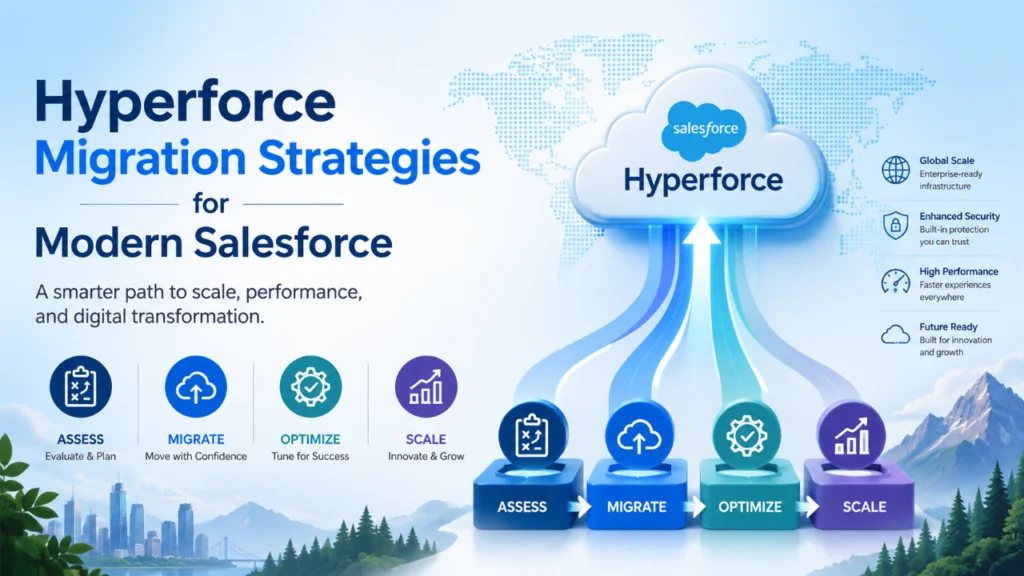
Introduction: Hyperforce Migration Strategies for Modern Salesforce
Hyperforce has become one of the most important architectural shifts in the Salesforce ecosystem. For businesses that depend on Salesforce to run sales, service, marketing, and customer data operations, migration to Hyperforce is not just a technical move. It is a business decision that affects performance, scalability, security, compliance, and long-term platform flexibility.
Modern Salesforce environments are growing more complex every year. Organizations now manage larger data volumes, more integrations, tighter regulatory requirements, and faster user expectations. Traditional infrastructure models often struggle to support this level of agility. Hyperforce addresses this challenge by moving Salesforce to a cloud-native architecture built on public cloud infrastructure. For companies planning a transition, the right migration strategy can reduce risk and improve the overall value of the platform.
Table of Contents
What Hyperforce Means for Salesforce
Hyperforce is Salesforce’s next-generation architecture that supports deployment on public cloud infrastructure. In simple terms, it gives businesses more flexibility in where and how their Salesforce data and applications are hosted, while maintaining the core experience that users already know.
This matters because modern enterprises need more than just a CRM. They need a platform that can scale quickly, handle compliance needs across regions, support global performance, and adapt to business change. Hyperforce is designed to help with all of that. It offers stronger location flexibility, better scalability, and a cloud-first foundation that supports future innovation.
For many organizations, the migration to Hyperforce is an opportunity to modernise not only infrastructure but also data management, security policies, integration design, and release processes.
Why Migration Strategy Matters
A Hyperforce migration should never be treated like a routine system upgrade. It affects architecture, operations, governance, and user experience. Without a clear strategy, businesses may face downtime, integration failures, unexpected compliance issues, or performance concerns.
A strong migration strategy helps teams understand what must change, what can stay the same, and what they should improve during the transition. It also allows leaders to align technical work with business priorities. For example, a company may choose to migrate first for compliance reasons, while another may focus on performance improvements or regional expansion.
The best Hyperforce migration strategies are phased, tested, and guided by business impact rather than speed alone.
Key Benefits of Moving to Hyperforce
Before planning the migration, it helps to understand the main advantages.
First, Hyperforce offers greater cloud scalability. This allows organizations to support growing users, data, and transactions without traditional infrastructure limits holding them back.
Second, it improves data residency and compliance flexibility. Businesses that operate across multiple regions can better align with local regulatory requirements and data storage expectations.
Third, Hyperforce supports modern security models. Companies can take advantage of cloud-native controls, improved monitoring, and a stronger foundation for secure operations.
Fourth, it gives organizations access to a future-ready architecture. As Salesforce continues to innovate, Hyperforce becomes the base for newer capabilities and platform improvements.
These benefits make Hyperforce especially valuable for enterprises that want both stability and long-term growth.
Step 1: Assess the Current Salesforce Environment
The first step in any migration strategy is a complete assessment of the existing Salesforce org. This means understanding the current architecture, including custom code, integrations, data volume, automation, user roles, compliance requirements, and third-party applications.
Teams should identify which parts of the environment are mission-critical and which areas may need refactoring. Some features may work smoothly after migration, while others may require redesign or testing. A clear inventory helps reduce surprises later.
This assessment should also include performance baselines. Knowing how the system behaves before migration makes it easier to measure success afterward. It is also useful to document dependencies between Salesforce and other business systems, such as ERP platforms, marketing tools, identity providers, and middleware solutions.
Step 2: Define Business and Technical Goals
A migration works best when specific goals guide it. Some businesses want improved regional compliance. Others want better system resilience, stronger scalability, or cleaner infrastructure management. Defining these goals early helps teams make better technical decisions.
For example, if the primary goal is compliance, the strategy should prioritize data residency, access controls, and audit readiness. If the goal is performance, the team may focus on integration optimization, data cleanup, and load testing. If the goal is modernisation, the organisation may use the migration as an opportunity to reduce technical debt and simplify the architecture.
Clear goals also help stakeholders stay aligned. Business leaders, IT teams, security teams, and Salesforce administrators should all understand what success looks like.
Step 3: Prepare Data and Integrations
Data and integrations are among the most sensitive parts of a Hyperforce migration. Salesforce does not operate in isolation, so every connected system must be reviewed carefully.
Data preparation should include cleanup, deduplication, archival planning, and validation of data quality. Large or outdated datasets can slow migration and create unnecessary risk. A cleaner data model makes the transition smoother and improves the environment after go-live.
Integration planning is equally important. APIs, middleware connections, authentication methods, scheduled jobs, and event-driven processes should all be tested. Some integrations may need endpoint changes, network adjustments, or updated security settings. Teams should verify not only whether integrations work, but also whether they perform as expected under real business conditions.
A detailed integration map can prevent disruptions during cutover and help teams troubleshoot more effectively.
Step 4: Review Security and Compliance Requirements
Security should be built into the migration strategy from the beginning. Hyperforce may improve the technical foundation, but organizations still need to configure access, encryption, monitoring, and governance correctly.
This is especially important for industries such as finance, healthcare, manufacturing, and government, where compliance obligations are strict. Teams should review data classification, user permissions, login policies, audit trails, and regional hosting requirements.
Security testing should include identity and access management, role-based controls, and review of any custom authentication flows. Compliance teams should be involved early so they can validate whether the new architecture supports internal and external obligations.
This stage is not just about avoiding risk. It is also an opportunity to improve governance and strengthen trust in the platform.
Step 5: Use a Phased Migration Approach
A phased migration is usually safer than a full-scale cutover. This means moving in stages rather than attempting everything at once. For example, an organization may migrate one business unit, one region, or one sandbox environment before moving production workloads.
A phased approach gives teams time to learn, test, and adjust. It also reduces the impact when you need to correct something. Smaller moves are easier to monitor and validate, and they give business users more confidence in the process.
Phased migration is especially useful for large enterprises with complex customisations, multiple integrations, or global operations. It creates a controlled path to Hyperforce rather than a risky leap.
Step 6: Test Extensively Before Go-Live
Testing is one of the most important parts of the migration strategy. Teams should not rely on functional checks alone. They need to test performance, security, integrations, automation, user access, reports, and workflows.
A strong test plan should include sandbox validation, regression testing, load testing, and disaster recovery checks. Business users should also participate in user acceptance testing to verify real-world scenarios before production migration.
It is important to test not only success cases but also failure scenarios. Teams should know how the system behaves if a process fails, a connection times out, or a user cannot access a critical record.
The more realistic the testing, the lower the chance of disruption after go-live.
Step 7: Train Teams and Support Users
Migration is not only a technical event. It also affects people. Users may notice changes in performance, process flow, or system behavior. Administrators and support teams may need to handle new troubleshooting steps or operational practices.
Training should be provided before the migration, not after. Internal teams should understand what Hyperforce changes, what remains the same, and how to respond if issues arise. End users may not need technical details, but they should know what to expect and where to obtain help.
Clear communication reduces confusion and builds confidence. A well-informed user base is more likely to adopt the new environment smoothly.
Step 8: Monitor and Optimize After Migration
The work does not end when the system goes live. Post-migration monitoring is essential to confirm that performance, security, and integrations are functioning as expected.
Teams should track system health, user feedback, API behavior, login activity, and error patterns. This helps identify issues early and supports quick resolution. It is also a suitable time to compare actual results against the original goals of the migration.
Many organizations use the post-migration period to further optimise their systems and processes. They may simplify automation, improve reporting, refine access controls, or clean up unused components. Hyperforce migration can become the foundation for broader Salesforce modernisation.
Final Thoughts
Hyperforce migration is a strategic opportunity for modern Salesforce organizations. It is not simply about moving to a new infrastructure layer. It is about preparing the Salesforce platform for the future with better scalability, stronger compliance support, improved security, and a more cloud-native foundation.
The best migration strategies begin with assessment, move through careful planning and phased execution, and continue with thorough testing and post-launch optimization. Businesses that approach the journey with discipline and clarity are more likely to achieve a smooth transition and long-term value.
For modern Salesforce teams, Hyperforce is more than a technical upgrade. It is a chance to align the CRM environment with the needs of a faster, more connected, and more demanding digital world.