

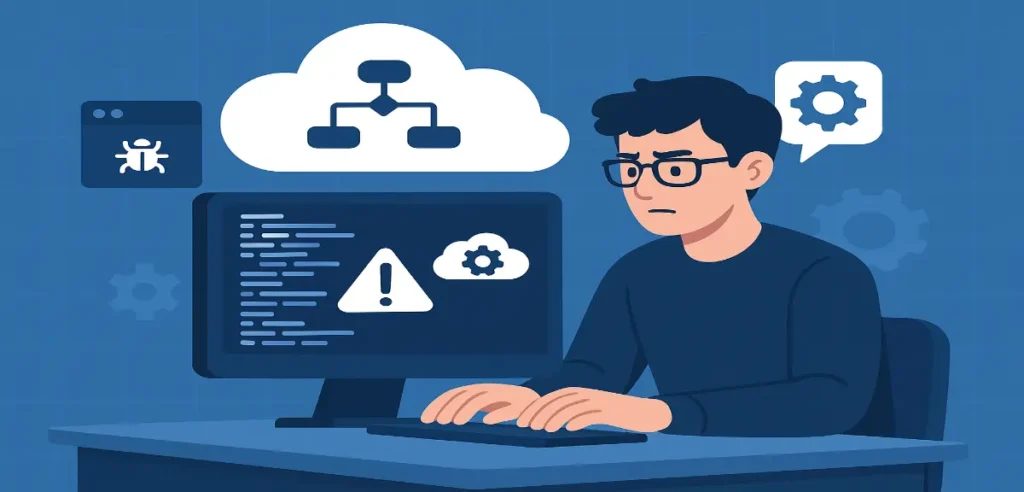
But with this power comes complexity. Debugging Data Cloud–Triggered Flows has historically been challenging because of asynchronous processing, large volumes of data, and sometimes limited visibility. Fortunately, Salesforce’s 2026 enhancements, especially around observability, logging, and session-based debugging, have made it significantly easier.
This blog explains how to debug Data Cloud–Triggered Flows faster in Salesforce 2026, covering best practices, new debugging tools, common issues, and optimization strategies.
Table of Contents
1. What Are Debugging Data Cloud–Triggered Flows?2. New Debugging Enhancements in Salesforce 20263. How to Debug Data Cloud–Triggered Flows Step-by-Step4. Common Issues in Data Cloud–Triggered Flows and Their Fixes5. Best Practices for Fast Debugging in Salesforce 20266. Why Debugging Data Cloud–Triggered Flows Matters in 2026Key Takeaway:
1. What Are Debugging Data Cloud–Triggered Flows?
Data Cloud–Triggered Flows in Salesforce 2026 are flows that fire based on real-time actions within Data Cloud. These include:
Profile (Data Model Object – DMO) changes
Segment entry or exit
Calculated insights updates
Engagement events
Data stream ingestions or transformations
They allow automation across Marketing Cloud, Sales Cloud, Service Cloud, Commerce Cloud, and external systems, enabling hyper-personalised experiences at scale.
Why Debugging Matters
Since these flows run at scale, sometimes processing millions of records, issues such as incorrect mappings, missing field values, slow performance, or misfiring flows can disrupt customer experiences.
That’s why Salesforce Data Cloud Flow Debugging has become a top skill for admins in 2026.
2. New Debugging Enhancements in Salesforce 2026
Salesforce invested heavily in observability for Data Cloud, introducing new features that make troubleshooting Data Cloud-triggered flows easier and faster.
a. Event Replay Debugger
One of the largest enhancements in 2026 is the Event Replay Debugger, which lets admins:
Re-run events that triggered the flow
Analyze payloads
Compare before/after event states
Test different flow versions
This means easier debugging without waiting for events to occur naturally.
b. Real-Time Flow Insight Panels
Each flow execution now includes:
Event payload
Execution time
Element-by-element duration
Data transformation logs
Errors and exception traces
This panel has become central to Salesforce Flow Debug Tool 2026.
c. DMO Visibility Enhancements
You can now:
Track field-level changes
See identity resolution logs
View segment membership changes
Inspect data harmonization steps
This helps identify issues where flow triggers fail because expected DMO values weren’t generated.
d. Improved Test Mode for Data Cloud Flows
Admins can now:
Run flows using synthetic Data Cloud Records
Validate conditions that activate the trigger
Simulate segment entries/exits
Validate transform logic before deployment
This minimises the risk of triggering unintended automations.
Let’s break down a clear, structured debugging workflow for Salesforce 2026.
Step 1: Verify the Trigger Configuration
Most flow issues come from incorrect trigger settings or conditions. Start by verifying:
Correct DMO is selected
Trigger event (Create, Update, Segment Entered/Exited) is accurate
Filters are correctly structured
Identity resolution is complete
Use DMO logs to validate that the trigger criteria are being met.
Step 2: Inspect the Event Payload
Data Cloud events include detailed JSON-style payloads. Check whether:
Expected fields exist
Required values are populated
Data harmonization produced expected formats
Null values are appropriately handled
The 2026 Insight Panel simplifies payload inspection.
Step 3: Use Event Replay to Reproduce the Issue
Replay the original event and watch:
Where the flow pauses
What elements fail
How variable assignment behaves
Whether loops cause delays
This is especially helpful when debugging orchestrated automations that depend on segment membership changes.
Step 4: Review Execution Logs and Error Traces
Salesforce 2026 logs now include the following:
Element execution times
Errors with stack traces
Subflow performance data
Retry attempts and durations
If you see delays, check the following:
Loops running through large datasets
Transformations with heavy logic
External system calls
Debugging performance issues is easier with the new Flow Performance Details panel.
Step 5: Validate Mapping Between Data Cloud and Flow Variables
Common issues occur when:
Field names change
Mappings are incomplete
Case sensitivity causes mismatches
Make sure:
Each DMO field maps correctly to a flow variable
Data types align (string, number, date, array)
Transformations run before field evaluations
Step 6: Use Test Mode for Controlled Validation
With Test Mode:
Feed artificial or replayed Data Cloud events
Validate flow branching
Test error handling
Confirm output actions (e.g., record creation, updates, segment moves)
This lets admins test quickly without waiting for large-scale data ingestion.
Step 7: Monitor Downstream Integrations
Many flows continue into:
Marketing Cloud journeys
Sales Cloud record updates
Service Cloud cases
Data activation via connectors
Debugging must include checking the following:
Activation logs
API responses
Integration retries
Data writeback failures
Issue 1: Flow Does Not Trigger
Cause: Trigger conditions not met, identity resolution delay, or missing DMO fields.Fix:
Recheck trigger filters
Inspect identity resolution logs
Validate DMO transformation steps
Issue 2: Null or Missing Fields in Flow
Cause: Harmonisation or ingestion delays.Fix:
Validate mapping in Data Streams
Add null-handling logic in the flow
Issue 3: Slow Performance
Cause: Heavy loops, multiple subflows, external callouts.Fix:
Reduce loop size
Use batch processing
Move heavy logic to Data Cloud Computed Insights
Issue 4: Incorrect Outputs
Cause: Misaligned variable mappings or outdated flow versions.Fix:
Compare versions using Event Replay Debugger
Validate variable assignments step-by-step
Issue 5: Duplicate or Repetitive Automation
Cause: Multiple flows listening to the same event.Fix:
Use the 2026 Flow Trigger Conflicts Checker
Merge overlapping flows
1. Centralize Flow Logic
Reduce the number of flows per DMO using:
Decision elements
Subflows
Modular design principles
This minimises conflicts.
2. Use Naming Conventions
Prefix flows with:
DCF_ for Data Cloud Flows
Segment or DMO identifier
Version numbers
Example: DCF_ProfileUpdate_v4
3. Document Expected Payloads
Maintain reference JSON files for trigger events. This helps compare real vs expected payload structures.
4. Use Error Handling Elements
Include:
Fault paths
Error logs
Notifications
Salesforce recommends sending errors to Slack using the 2026 Debug Notifications package.
5. Test All Segments and Scenarios
Because Data Cloud segments change dynamically, test the following:
Entry
Exit
Multi-segment memberships
Conditional mappings
6. Monitor Flow Usage and Limits
Data Cloud automations can hit limits if not optimised. Monitor:
Transactions per hour
Concurrent automations
API calls
Businesses have shifted from manual and rule-based automations to real-time AI-powered customer orchestration. Errors in Data Cloud flows can lead to:
Incorrect customer engagement
Poor personalization
Delayed communications
Data inconsistency across systems
With Salesforce investing heavily in Data Cloud, admins who master debugging will ensure the following:
Reliable real-time automation
Accurate customer segmentation
Seamless journeys across cloud platforms
High data quality and trust
Debugging Data Cloud-triggered flows in Salesforce 2026 has become significantly easier thanks to new capabilities like the Event Replay Debugger, enhanced insight panels, and improved DMO visibility. By following structured debugging workflows, leveraging new tools, and implementing best practices, teams can resolve issues faster and optimize real-time automation at scale. As Data Cloud becomes central to customer engagement strategies, mastering these debugging techniques is essential for any Salesforce admin or architect.
Founder and CEO of iTechCloud Solution, a Salesforce consulting and product partner since 2017. He sets engagement strategy and stays the commercial owner of every account, working with clients across Salesforce, AI and data from the first call through to go-live.
Connect on LinkedIn