
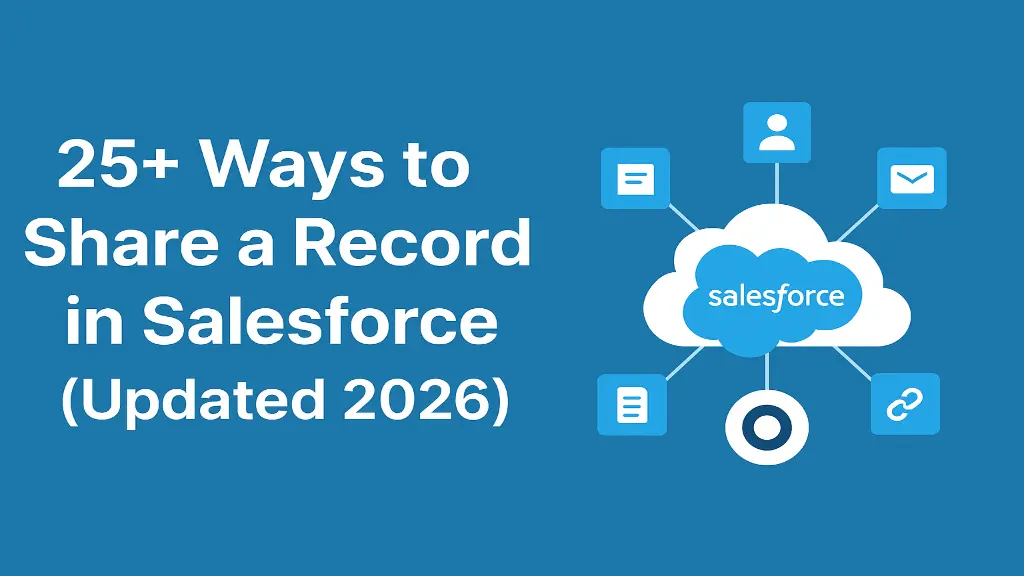
Introduction: 25+ Ways to Share a Record in Salesforce
Salesforce is known for its powerful security model, offering organizations highly flexible ways to control who can view, edit, or manage their data. As teams grow, products scale, and compliance requirements become more complex, businesses need a strong and well-structured sharing model. Salesforce provides more than 25 different methods to share records, each designed for specific needs from role hierarchies and teams to automation, territories, sharing rules, and Apex.
This comprehensive summary provides an expanded, long-form breakdown of every major sharing mechanism available in Salesforce as of 2026. It explains what each method does, when to use it, and how to choose the right combination for your organisation’s security and collaboration needs.
Table of Contents
Introduction: 25+ Ways to Share a Record in SalesforceWhat Is Salesforce Record Sharing?1. Org-Wide Defaults (OWD)2. Role Hierarchy3. Manager Groups4. Sharing Rules5. Account Teams6. Opportunity Teams7. Case Teams8. Manual Sharing9. Apex Managed Sharing10. Flow-Based Sharing (2026 Standard Method)11. Permission Sets12. Permission Set Groups13. Queue-Based Sharing14. Enterprise Territory Management (ETM)15. Public Groups16. Criteria-Based Sharing in Territories17. Ownership Transfer Sharing18. Guest User Sharing (Public Access)19. External Sharing for Experience Cloud20. Field-Level Security (FLS)21. Record Types and Page Layouts22. Parent-Child Sharing (Implicit Sharing)23. “View All” & “Modify All” Object Permissions24. “View All Data” & “Modify All Data”25. Lightning Sharing Button26. Einstein Access Recommendations (Future-Looking)27. Custom Metadata / Custom Settings for Dynamic Sharing28. Event-Driven Sharing (Platform Events + Flows)Conclusion: Choosing the Right Sharing Methods in 2026
What Is Salesforce Record Sharing?
Record Sharing in Salesforce determines how individual records (such as Accounts, Opportunities, Leads, Cases, or Custom Objects) become visible or editable to users. The system follows a “least privilege” model, meaning every user gets minimum access by default, and additional access must be granted through structured sharing methods.
Record sharing relies on five primary layers:
OWD – Org-Wide Defaults
Role Hierarchy
Sharing Rules
Manual & Team Sharing
Programmatic Sharing (Apex/Flows)
Additionally, Salesforce provides advanced enterprise-level models like Territory Management, Queue Sharing, and External Sharing.
What makes Salesforce powerful is that all these layers work together to create a data model that is both secure and flexible.
OWDs set the baseline record access for every user in the org. This is the foundation of all sharing decisions.
OWD levels include:
Private: No one else can see the record.
Public Read Only: Users can view but not edit.
Public Read/Write: Everyone can view and modify.
Controlled by Parent: Access comes from the parent object.
When to Use
To define the minimum amount of visibility allowed.
To keep sensitive objects locked down (e.g., private for cases and HR data).
To open non-sensitive objects (like products or price books) to all users.
This is the most important element, the stricter the OWD, the stronger your security posture.
The role hierarchy ensures managers, leaders, and executives can automatically see records owned by their subordinates.
Use Cases
Sales managers viewing their team’s opportunities
Service leaders accessing escalated cases
Executives getting full visibility for reporting
The hierarchy is not just organisational. It is designed for data visibility. Users higher in the hierarchy always inherit the access of users below them.
Salesforce manager groups allow sharing records with the following:
A user’s direct manager
A user’s managerial chain
Why Useful
Great for approval processes
Reduces the need to manually grant permission each time
Works well in organizations with long reporting chains
Manager groups are dynamic changes in reporting structure that automatically apply to shared data.
Sharing Rules allow admins to open record access beyond role hierarchy and OWD, but only in a predictable, rule-based structure.
Types of Sharing Rules
Owner-Based: Based on record owner’s role or group
Criteria-Based: Based on field values (e.g., Industry = Retail)
Guest User Rules: For public site access
Territory-Based Rules: Used in Enterprise Territory Management
When to Use
If two departments need cross-team visibility
If you want automatic sharing without manual effort
If roles are not adequate for your access structure
Sharing rules are essential for scaling access as the number of records grows.
Account teams allow multiple people to collaborate on a single account and optionally related records.
Users can be assigned roles such as the following:
Account Owner
Sales Engineer
Customer Success Manager
Support Rep
What Access They Get
Account
Contacts
Opportunities
Cases
This is one of the most widely used sharing tools for collaboration in enterprise sales.
Opportunity Teams give sales reps a structured way to work together on deals. Each member gets specific access and a defined role.
Use Cases
Multi-rep deal strategies
Sales engineer involvement
Revenue operations oversight
Opportunity Teams help ensure large opportunities are managed efficiently.
For customer service work, Case Teams let you add team members and grant them relevant access.
Used By
Support agents
Specialists
Escalation managers
Technical analysts
Case teams help ensure customer requests are resolved faster through shared responsibility.
Manual sharing is used when a specific user needs temporary or one-off access to a record.
When to Use
A rep wants to share a single record with a colleague
Temporary project-based collaboration
Sharing sensitive data on a case-by-case basis
Only users with adequate permissions (like Full Access) can manually share records.
Apex sharing gives developers programmatic control over record access. It is ideal for complex logic that standard tools cannot handle.
Use Cases
Dynamic sharing based on custom business rules
Sharing with external system users
Automation where sharing rules are insufficient
Apex Managed Sharing provides the greatest flexibility but must be maintained properly.
Flows now include a powerful “record sharing” element, allowing admins to automate sharing without writing code.
Why It’s Popular
Fully declarative
Admin-friendly
Replaces many Apex sharing use cases
Highly flexible for criteria-based automation
Flows have become the recommended method for most automated sharing scenarios.
Permission Sets provide additional access to objects, fields, and apps. Although they don’t directly share records, they influence what users can do with shared records.
Best Uses
Temporary access during projects
Assigning special access without changing profiles
Controlling features at the user level
PSGs combine multiple permission sets under one umbrella.
Benefits
Easier assignment
Clean access management
Reduces profile clutter
PSGs help standardise permissions for entire teams or departments.
Queues allow multiple users to work together by giving them access to any record in the queue.
Used With
Leads
Cases
Custom objects
A queue assigns visibility to all members, improving collaboration and workload distribution.
ETM is essential for large companies with region-based or segment-based structures.
Provides Access To
Accounts
Opportunities
Contacts
Ideal For
Geographic sales models
Strategic account segmentation
Partner or franchise networks
Territory management ensures proper access as accounts shift between territories.
Public Groups are reusable groupings of users, roles, or other groups used in sharing rules and manual sharing.
Why They’re Important
Reduce admin effort
Allow sharing rules to stay clean
Useful for multi-team collaboration
Public groups are one of the most flexible tools in Salesforce.
Territories can also apply criteria filters so that only matching records get shared.
Examples
Revenue above a threshold
Accounts in a specific region or industry
It prevents unnecessary sharing of irrelevant accounts or opportunities.
When a record’s owner changes, Salesforce auto-updates inherited access rules.
Benefits
No need for admin intervention
Ensures consistent access structures
Works well with role hierarchies and territory models
Ownership-based access is one of the most standard control points in Salesforce.
Guest users are anonymous site visitors. Salesforce provides rules to restrict and control what they can see.
Used For
Web-to-lead
Web-to-case
Public knowledge articles
Security was tightened significantly in recent years to protect data.
Experience Cloud (formerly Community Cloud) uses external sharing models for partners and customers.
Types of External Users
Partner users
Customer users
Vendor or client logins
External access ensures only the right records are exposed to non-employees.
FLS hides sensitive fields even if the user has access to the record.
Used For
Salary information
Private notes
Internal ratings
Personal identification data
Combining FLS with sharing ensures that even shared records remain compliant.
Record types allow different teams to view different layouts or picklists even in the same object.
Benefits
Controls what information users see
Ensures processes match team functionality
Helps segment different data flows
This is a “soft” sharing approach that controls visibility at the UI level.
Some objects automatically inherit access from their parent records. Known as implicit sharing, this is built into Salesforce logic.
Examples
Contacts inherit from Accounts
Cases may inherit from Accounts (depending on org settings)
Implicit sharing reduces the need for additional configuration.
These permissions override all sharing rules for a specific object.
When to Use Carefully
Data admin roles
Integration users
System support teams
They do not give access to all objects, only the object they are assigned to.
These are system-level permissions comparable to super-admin access.
Should Be Used For
System administrators
Trusted platform owners
Major integration tasks
Because they bypass all security controls, they must be assigned sparingly.
The Lightning experience provides a modern sharing modal where users can see the following:
Who the record is shared with
Why the access exists
How to adjust it
This improves usability, collaboration, and adoption.
Some newer AI-driven features can analyze access patterns and recommend improvements.
Examples
Predicting what teams need access
Suggesting sharing optimizations
Identifying unnecessary access
AI-based sharing helps maintain organisation-wide compliance as data grows.
Admins can store sharing logic in custom metadata or settings, then reference them in flows or Apex.
Benefits
No code changes for updates
Highly reusable and scalable
Easy for admins to maintain without deployment
This technique powers advanced, enterprise-grade sharing automation.
Salesforce allows event-based triggers to automate sharing.
Examples
When a record is escalated
When a customer reaches a certain tier
When external systems push events
Event-driven sharing is modern and efficient for real-time systems.
Choosing the right Salesforce sharing methods in 2026 requires a thoughtful balance between security, scalability, and collaboration. As data volumes grow and teams become more distributed, organizations can no longer rely on a single sharing approach. Instead, they must blend multiple tools to ensure the right users have access at the right time without exposing sensitive information.
A strong sharing model begins with strict Org-Wide Defaults (OWDs) that set the foundation for data protection. From there, role hierarchy and manager groups provide natural, automatic visibility for leadership and reporting structures. For broader access requirements, Sharing Rules, Public Groups, and Teams help streamline collaboration across departments without compromising control.
Modern automation tools like Flows and Apex Managed Sharing play a critical role in handling complex, dynamic access scenarios, making it easier to share records based on evolving business conditions. Large enterprises benefit from territory management, while external-facing organizations rely on Experience Cloud sharing models to give partners and customers the appropriate access. To maintain compliance and data privacy, field-level security, Record Types, and permission sets ensure users only see what they are authorised to view even when the record itself is shared broadly.
Founder and CEO of iTechCloud Solution, a Salesforce consulting and product partner since 2017. He sets engagement strategy and stays the commercial owner of every account, working with clients across Salesforce, AI and data from the first call through to go-live.
Connect on LinkedIn