
Salesforce administration has evolved rapidly over the past few years. In 2026, admins are no longer responsible only for user management, reports, dashboards, and basic automation. They now play a critical role in AI governance, data quality, security, automation optimization, compliance, and business transformation.
With Salesforce continuously introducing AI-powered capabilities, Data Cloud enhancements, and increasingly complex automation tools, admins face new challenges that directly impact business success. Organizations expect Salesforce admins to improve productivity while maintaining secure, scalable, and reliable CRM environments.
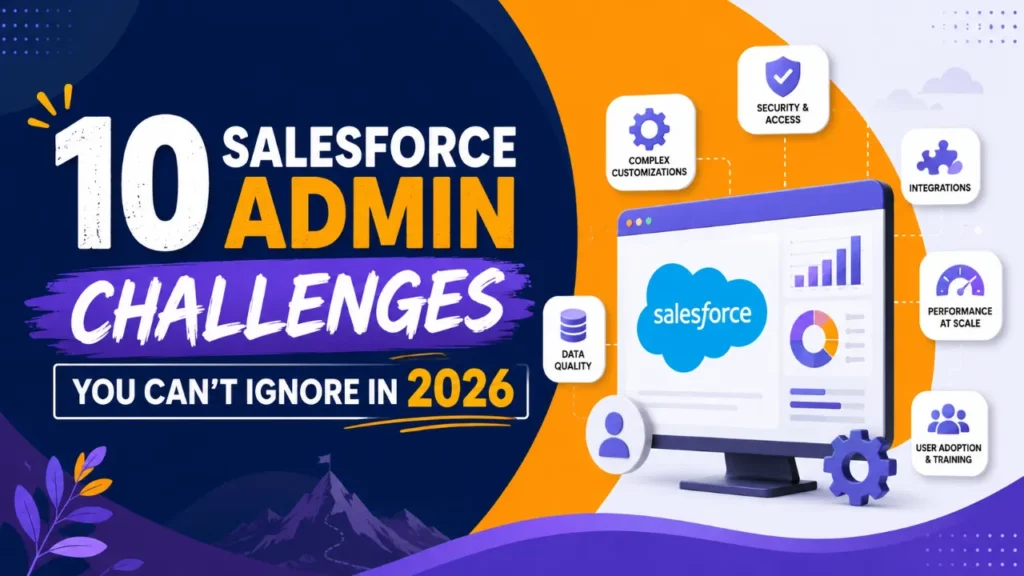
In this blog, we’ll explore the ten biggest Salesforce admin challenges in 2026 and practical ways to overcome them.
Table of Contents
1. Managing AI-Powered Salesforce Features
2. Maintaining High-Quality CRM Data
3. Managing Complex Automation
4. Balancing Security with User Productivity
5. Supporting Frequent Salesforce Releases
6. Increasing User Adoption
7. Handling Growing Integration Complexity
8. Optimizing Salesforce Performance
9. Managing Compliance and Data Privacy
10. Keeping Up with Rapid Platform Innovation
How Salesforce Admins Can Stay Ahead in 2026
Conclusion: Salesforce Admin Challenges
1. Managing AI-Powered Salesforce Features
Artificial intelligence is becoming a standard part of Salesforce. Features powered by Agentforce, Einstein AI, and predictive automation are helping businesses work faster, but they also increase administrative responsibilities.
Admins must ensure:
AI outputs remain accurate
Users understand AI-generated recommendations
Sensitive data stays protected
AI permissions are correctly configured
Without proper governance, AI can create inconsistent customer experiences and inaccurate business decisions.
Best Practice
Create clear AI governance policies, regularly review AI performance, and train users on responsible AI usage.
2. Maintaining High-Quality CRM Data
Data quality remains one of the biggest obstacles for Salesforce success. Even advanced AI tools cannot produce reliable insights from inaccurate or duplicate data.
Common problems include:
Duplicate records
Missing customer information
Outdated contacts
Inconsistent field values
Poor lead quality
Dirty CRM data affects reports, forecasting, marketing campaigns, and customer service.
Best Practice
Implement regular data audits, validation rules, duplicate management, and automated cleanup processes to maintain healthy CRM data.
3. Managing Complex Automation
Many organizations now use a combination of:
Record-triggered Flows
Scheduled Flows
Approval Processes
Custom Apex
Third-party integrations
As automation grows, troubleshooting becomes more difficult.
Common issues include:
Conflicting workflows
Slow record processing
Unexpected automation loops
Hard-to-debug Flow errors
Best Practice
Document every automation, eliminate redundant processes, and periodically review Flow performance to keep automation manageable.
4. Balancing Security with User Productivity
Businesses need stronger security without making Salesforce difficult to use.
Admins must manage:
User permissions
Permission Sets
Role hierarchy
Data visibility
Session security
Multi-factor authentication
Overly restrictive permissions frustrate users, while excessive access creates security risks.
Best Practice
Follow the principle of least privilege by giving users only the access they need while regularly reviewing security settings.
5. Supporting Frequent Salesforce Releases
Salesforce delivers multiple major releases each year, introducing new features, enhancements, and platform updates.
While these releases offer valuable capabilities, they also require admins to:
Review release notes
Test existing automation
Validate integrations
Update documentation
Train users
Failing to prepare for releases can result in broken processes and reduced productivity.
Best Practice
Maintain a sandbox testing strategy and review upcoming release features well before production deployment.
6. Increasing User Adoption
Even the most powerful Salesforce implementation delivers little value if employees don’t use it consistently.
Common reasons for low adoption include:
Complicated page layouts
Too many required fields
Slow processes
Lack of user training
Poor mobile experience
Low adoption often leads employees back to spreadsheets and manual tracking.
Best Practice
Simplify user interfaces, collect regular user feedback, and provide ongoing training to improve adoption.
7. Handling Growing Integration Complexity
Modern businesses rely on multiple business applications, including ERP systems, marketing platforms, customer support software, accounting tools, and AI solutions.
As integrations increase, admins face challenges such as:
Data synchronization issues
API limitations
Authentication failures
Integration errors
Duplicate records across systems
Poorly managed integrations reduce data reliability and create operational bottlenecks.
Best Practice
Monitor integrations regularly, maintain detailed documentation, and coordinate closely with integration teams when changes occur.
8. Optimizing Salesforce Performance
Large Salesforce environments often experience slower performance as data volumes and automation increase.
Performance issues may include:
Slow page loading
Delayed reports
Inefficient Flows
Excessive custom fields
Large object storage
Poor performance impacts user satisfaction and productivity.
Best Practice
Regularly review page layouts, archive unnecessary data, optimize reports, and remove unused customizations to improve system performance.
9. Managing Compliance and Data Privacy
Businesses must comply with growing privacy and regulatory requirements. Customers expect their personal information to be handled responsibly.
Admins are increasingly responsible for supporting:
Data retention policies
Consent management
Audit tracking
Secure record access
Privacy-related requests
Compliance failures can result in financial penalties and damage customer trust.
Best Practice
Work closely with legal, compliance, and security teams to ensure Salesforce configurations align with organizational policies.
10. Keeping Up with Rapid Platform Innovation
Salesforce continues to evolve faster than ever. New AI capabilities, automation improvements, analytics features, and platform enhancements require continuous learning.
Admins who rely on outdated knowledge may struggle to deliver maximum business value.
Areas requiring ongoing learning include:
AI administration
Flow automation
Data Cloud
Security best practices
Analytics
Integration strategies
Governance frameworks
Best Practice
Dedicate time each month to learning new platform capabilities, earning certifications, and experimenting with features in a sandbox environment.
How Salesforce Admins Can Stay Ahead in 2026
Success as a Salesforce Admin now depends on much more than technical configuration skills. The role has expanded into strategic business enablement, requiring a balance of technical expertise, communication, governance, and continuous improvement.
To stay ahead:
Prioritize data quality and governance.
Regularly review automation for efficiency.
Strengthen security without reducing usability.
Test every Salesforce release in a sandbox.
Encourage user adoption through training and feedback.
Monitor integrations and system performance.
Stay informed about AI and platform innovations.
Invest in continuous learning and certifications.
By taking a proactive approach, Salesforce admins can reduce operational risks, improve user satisfaction, and maximize the return on their organization’s Salesforce investment.
Conclusion: Salesforce Admin Challenges
The Salesforce Admin role in 2026 is more dynamic and impactful than ever before. As organizations adopt AI, expand automation, and rely on data-driven decision-making, admins are at the center of ensuring the platform remains secure, efficient, and scalable.
The challenges discussed in this blog (from AI governance and data quality to automation complexity, security, compliance, and user adoption) are not obstacles to fear but opportunities to demonstrate leadership and technical expertise. Admins who embrace continuous learning, optimize their Salesforce environments, and align platform capabilities with business goals will be well-positioned to drive long-term success.
By proactively addressing these challenges today, Salesforce Admins can build future-ready CRM systems that empower users, enhance customer experiences, and deliver measurable business value in 2026 and beyond.
Founder and CEO of iTechCloud Solution, a Salesforce consulting and product partner since 2017. He sets engagement strategy and stays the commercial owner of every account, working with clients across Salesforce, AI and data from the first call through to go-live.
Connect on LinkedIn