

n8n No-Code & Low-Code Automation AI-Powered Guide 2026
Introduction: n8n No-Code & Low-Code Automation
In today’s fast-paced digital environment, businesses are constantly looking for ways to streamline operations, reduce repetitive tasks, and improve productivity. This is where automation tools come into play. One platform that has been gaining significant traction is n8n, a flexible no-code automation platform that empowers users to create complex workflows without extensive programming knowledge. In this guide, we’ll explore what n8n is, its key features, and how you can build automated workflows with n8n effectively.
Table of Contents
What is n8n?
n8n is an open-source no-code and low-code automation platform that allows users to connect multiple applications and automate repetitive tasks. Unlike traditional automation tools that can be restrictive, n8n offers unparalleled flexibility with its visual workflow editor and extensive integration options. Whether you are a beginner in automation or an experienced developer, n8n’s interface makes it easy to design workflows visually while still offering the ability to customize logic using JavaScript for advanced scenarios.
Why Choose n8n?
Choosing the right automation tool can be challenging. Here’s why n8n stands out in the crowded automation landscape:
- No-Code & Low-Code Flexibility:
Users can drag and drop pre-built nodes to connect apps and services. If advanced customization is needed, low-code capabilities allow adding scripts to modify workflows precisely to your needs. - Extensive Integration Options:
n8n supports integration with over 200 services including Google Workspace, Slack, GitHub, Airtable, and many more. You can automate tasks between multiple tools without relying on multiple standalone connectors. - Open-Source Advantage:
Being open-source, n8n is highly customizable. Businesses can host it on their own servers, ensuring data privacy and full control over workflows. - Scalability:
From simple automations to complex multi-step workflows, n8n can handle the growth of your automation needs as your business evolves. - Community & Support:
A growing community and rich documentation make it easier to troubleshoot, learn, and get inspiration for your workflow automations.
Key Features of n8n
n8n offers several features that make it an ideal automation tool guide for businesses looking to streamline operations:
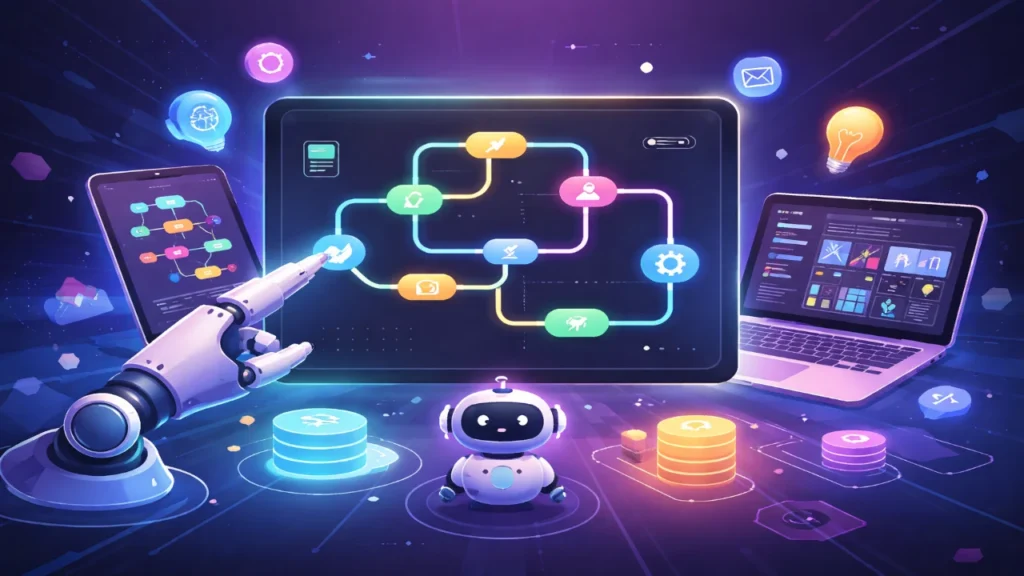
- Visual Workflow Editor: Create workflows visually using nodes and connections. Each node represents an action, trigger, or transformation.
- Triggers and Events: Automate processes based on events like receiving an email, updating a database, or receiving a webhook.
- Conditional Logic: Implement if/else branches to handle multiple scenarios within the same workflow.
- Error Handling: Set up fallback workflows or retry logic to ensure automations run smoothly.
- Custom Code Nodes: For advanced users, n8n supports JavaScript coding within nodes for additional flexibility.
How to Build Automated Workflows with n8n
Building workflows with n8n is intuitive, and anyone with basic technical understanding can get started quickly. Here’s a step-by-step guide:
- Sign Up and Access n8n:
You can either use n8n.cloud for a hosted solution or self-host n8n on your servers for complete control. - Choose a Trigger:
Workflows in n8n begin with a trigger. This could be an email received, a webhook, or even a scheduled time. - Add Nodes:
Connect applications by adding nodes to your workflow. For example, you can connect Gmail, Google Sheets, and Slack in a single workflow to automate notifications. - Configure Actions:
Each node can be configured to perform specific actions. For example, sending a message, updating a record, or calling an API. - Test and Activate:
Test your workflow using sample data. Once it works as expected, activate it to run automatically. - Monitor and Optimize:
n8n provides execution logs and analytics to monitor workflows and optimize performance as needed.
Popular Use Cases for n8n
Businesses across industries leverage n8n low-code workflow automation for various use cases:
- Marketing Automation: Automatically add leads from forms into CRM systems, send welcome emails, and track campaign performance.
- Sales Processes: Sync customer data between tools, update pipelines, and automate follow-up tasks.
- IT & DevOps: Monitor servers, trigger alerts, and automate deployment processes.
- Finance: Automate invoice generation, payment reminders, and reconcile data across platforms.
Advantages of Using n8n Over Traditional Automation Tools
- Cost-Effective: Open-source and flexible pricing options make n8n accessible to small businesses and enterprises alike.
- Greater Control: Full ownership of workflows and data ensures compliance and security.
- Adaptable: Capable of handling both simple automations and complex multi-step processes.
- Continuous Innovation: Regular updates and community-driven contributions ensure the platform evolves with modern automation needs.
Tips for Getting the Most Out of n8n
- Start Small: Begin with simple workflows to familiarize yourself with nodes and triggers.
- Leverage Templates: n8n offers pre-built workflow templates to speed up implementation.
- Document Workflows: Keep clear documentation of your workflows for easier maintenance.
- Monitor Performance: Regularly check execution logs to identify bottlenecks or errors.
- Stay Updated: Follow n8n community forums and blogs to learn about new features and best practices.
Conclusion
n8n is revolutionizing how businesses approach automation. As a no-code automation platform, it empowers both technical and non-technical users to build automated workflows with n8n efficiently. Its combination of visual workflow design, low-code customization, and extensive integrations makes it a versatile tool for any organization looking to save time, reduce errors, and scale operations.
Whether you are a startup trying to automate repetitive tasks or an enterprise looking to optimize workflows across multiple departments, n8n provides the flexibility, control, and power needed to achieve your automation goals.